
Check out this month's update to Xperience by Kentico, with several AIRA enhancements for marketers. Newly released are two additions to the Agentic Marketing Suite - the SEO & GEO Specialist and Campaign Manager agents - along with the AIRA Segment condition builder, and AIRA Usage Overview.
Campaign lifecycle insights with the Campaign Manager
Xperience by Kentico's campaigns enable marketers to define a set of assets and assign them a descriptive campaign brief. AIRA can help marketers craft this brief with clear KPIs, target audiences, participating channels, and experiences.
This helps teams stay focused on the original campaign goal, coordinate work across assets, and onboard team members into an ongoing campaign.
However, marketing campaigns are more than just their assets and customer experiences. If you want to get the most value out of content and messaging investments, you must be able to measure success and compare against past results.
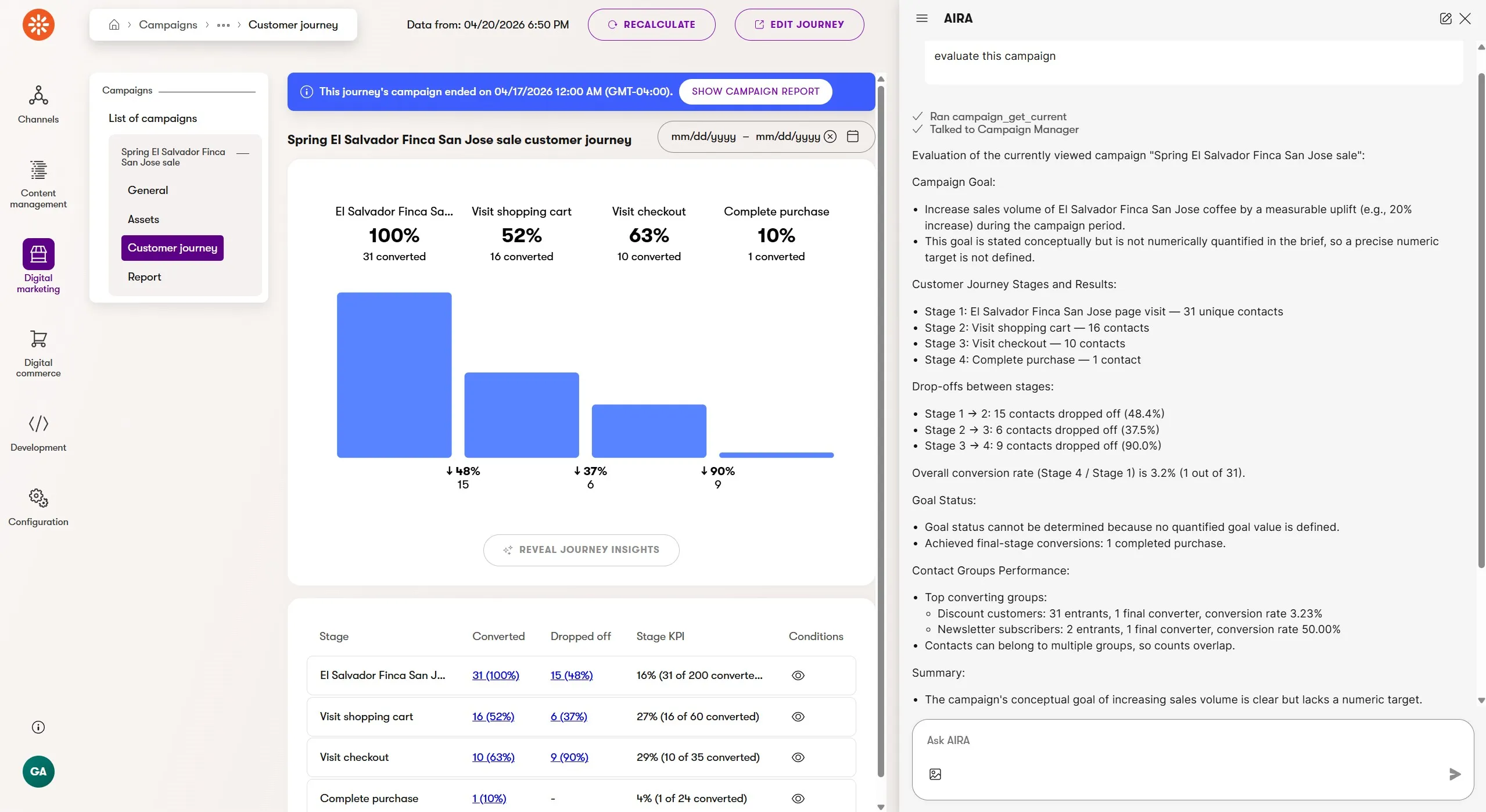
Accessed through the AIRA chat interface, the new Campaign Manager agent can evaluate the performance of a campaign using its included customer journey, relevant contact groups, and campaign brief.
The evaluation includes details about the journey statistics compared to campaign KPIs, performance of specific audience contact groups, a summary of the campaign's current effectiveness, and recommendations for improvement.
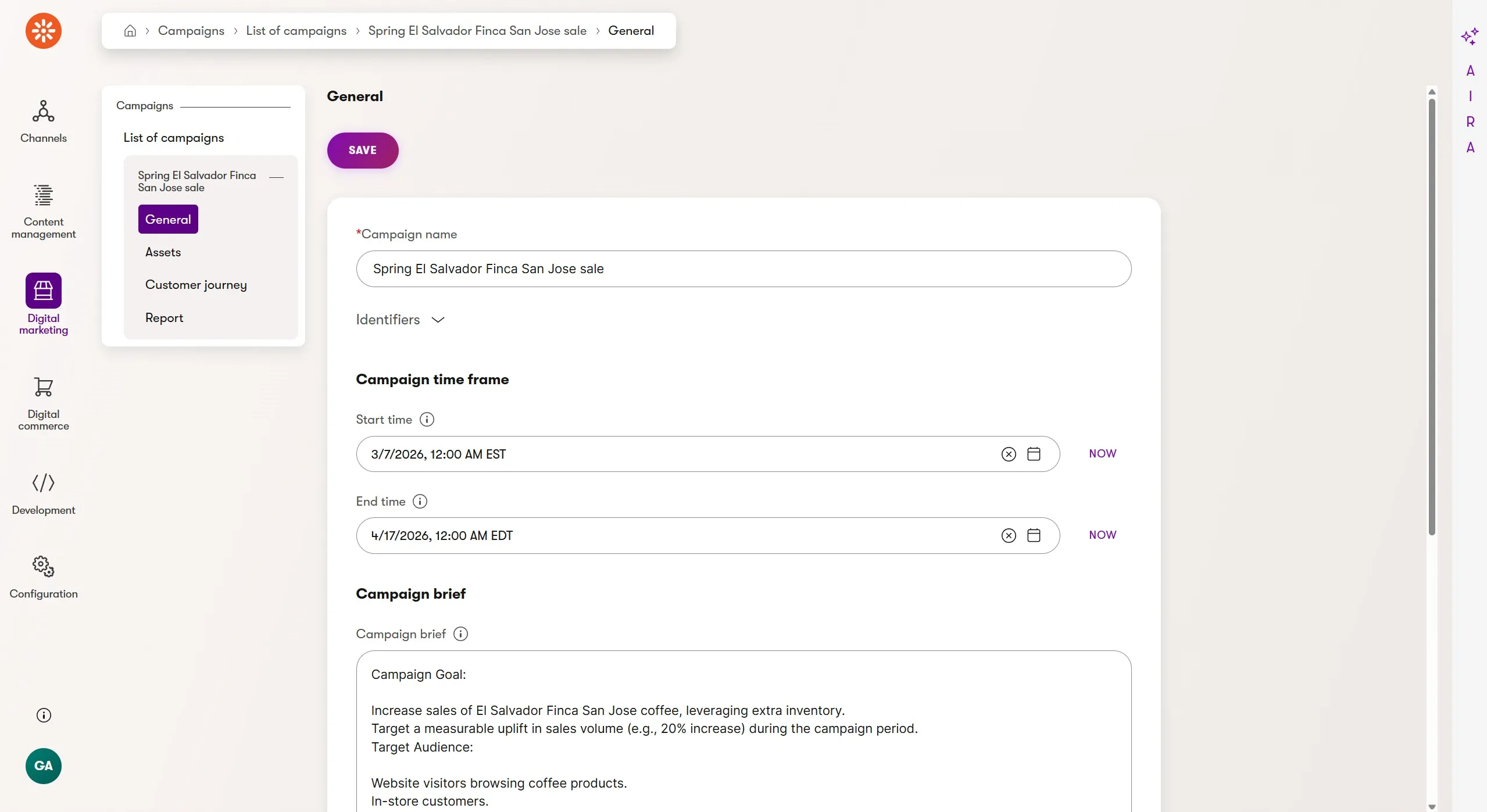
Campaigns now also include optional start and end dates. When populated, these isolate the campaign's customer journey data date filtering to the same start and end date, ensuring only the customer activities that took place during the campaign's time frame are used for analysis.
Once your campaign is complete, you can leverage the Campaign Manager again to generate a final report.
The campaign report is an excellent way to give yourself and team members a quick overview of the impact of a campaign, analyzing what was successful and what wasn't in the campaign journey and relevant audiences.
If you link email as campaign assets, their delivery statistics will be included. If you reference campaign assets in customer journey stages, that will also be noted.
Additionally, the Campaign Manager can use reports to compare the success of campaigns against each other, rewarding marketers for iterating and adjusting their strategy across multiple campaigns.
Actionable content optimization guidance with the SEO & GEO Specialist
Content creation without reach will fail to realize ROI. For years, SEO has helped marketers increase the reach of their message through higher ranked, relevant exposure in traditional search engines.
Now, generative engine optimization (GEO) has become a focus for marketers who want their message to appear when customers use AI experiences for search and discovery.
Consumer trends are clearly eroding SEO's supremacy, but not making it irrelevant. This means marketers need to account for both human and AI readers and traditional and AI-based search when crafting content.
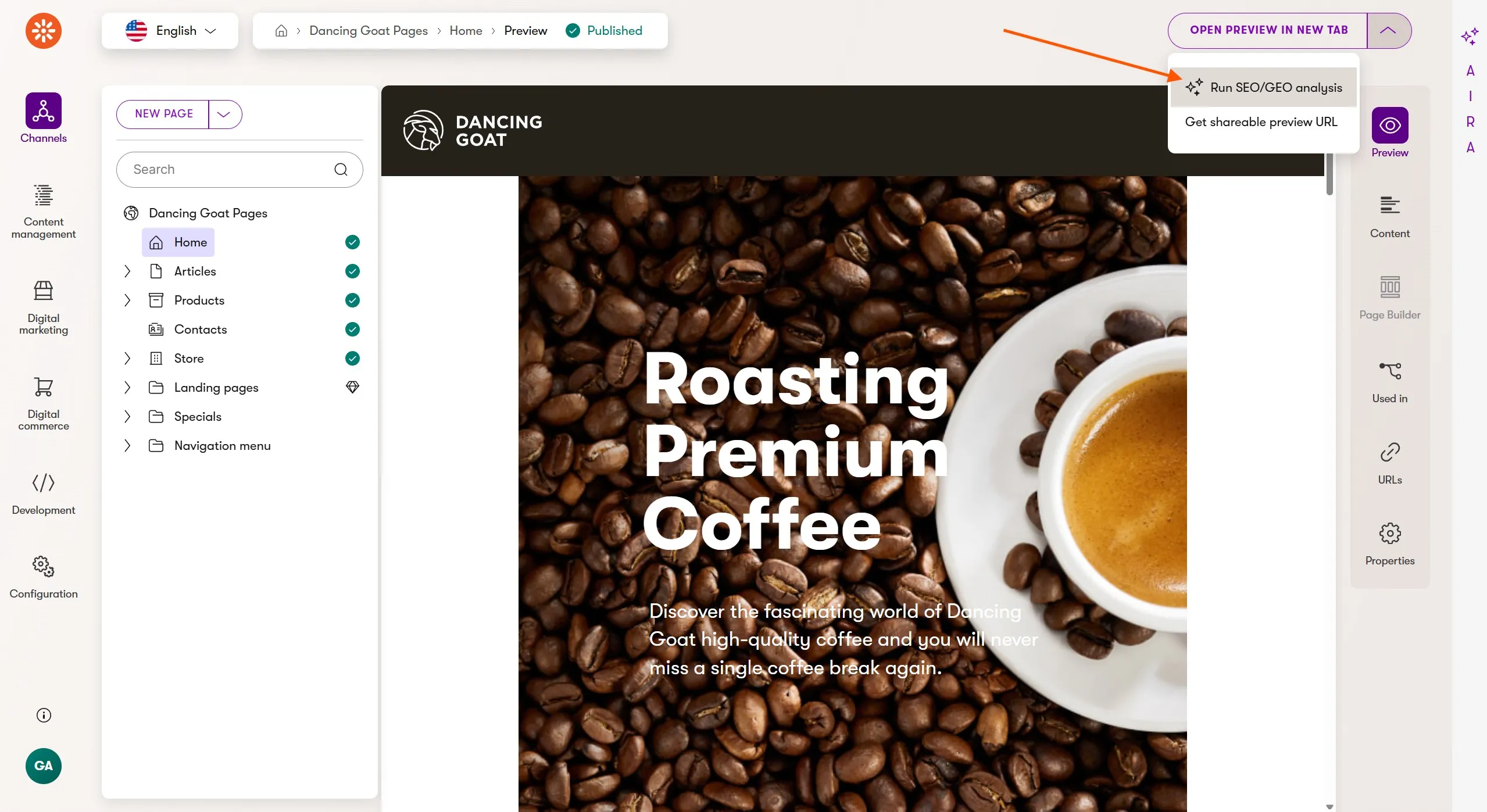
Xperience by Kentico's new SEO & GEO Specialist is an AIRA agent that analyzes individual pages and recommends improvements to enhance their search performance and AI readability.
This analysis can be requested for any website channel page through a simple click.
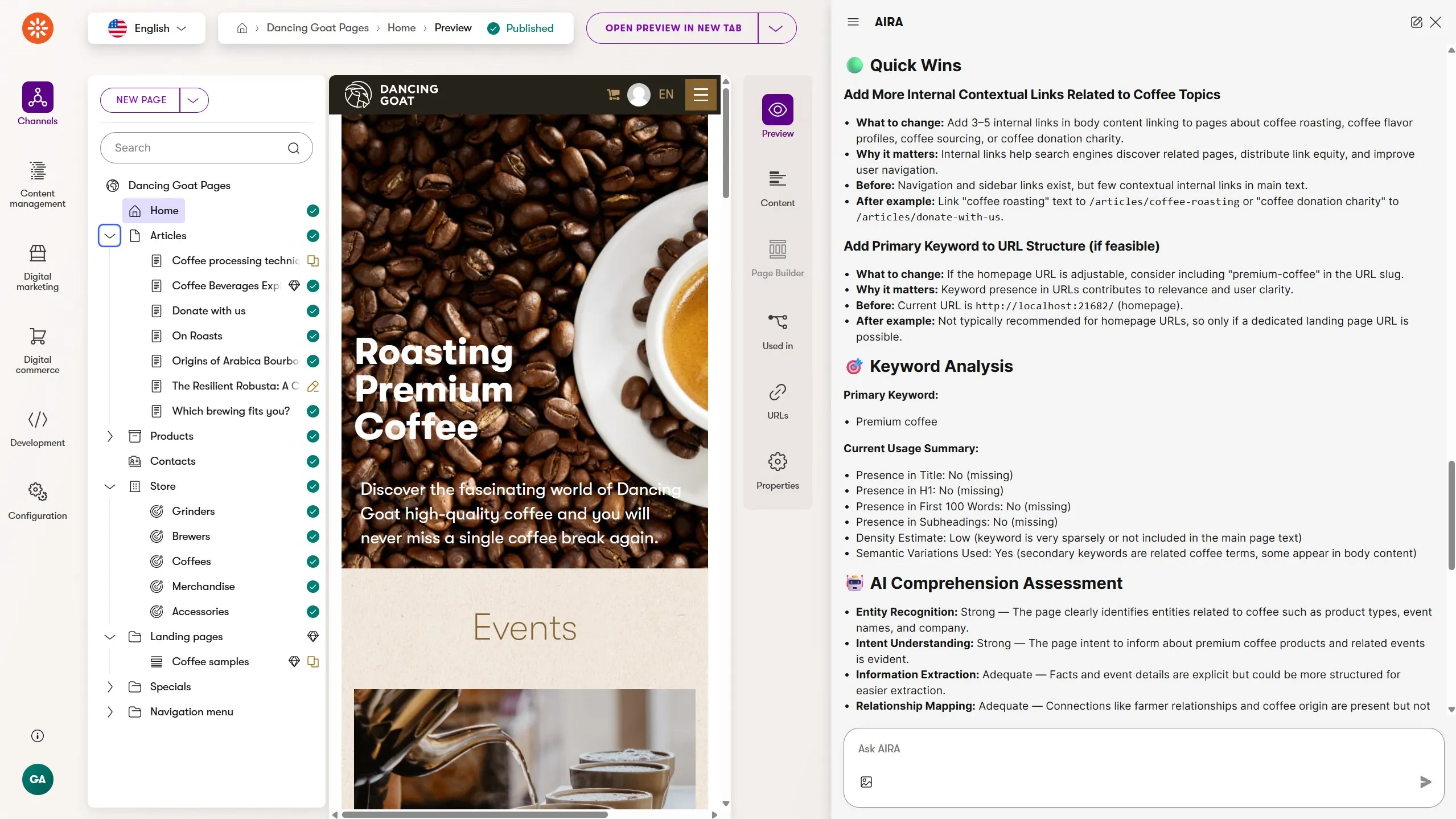
The agent uses selected keywords, which can be selected automatically by the agent or supplied by the marketer, to ground the content analysis. These keywords are stored by the agent, used in follow up content reviews, and can be adjusted by the marketer at any time.
The web page analysis:
Reviews human and AI readability and comprehension
Identifies classic SEO attributes like titles, meta descriptions, and links
Provides an overall score for the content against the specified keywords
Recommends fixes for issues of various priorities
Now, more than ever, AIRA is part of the marketer's content management workflow because it can:
- Optimize and transform images on upload
- Translate content into new languages
- Help quickly re-generate content based on contextual hints
- Review messaging against brand tone, style, and voice with the Content Strategist
- Optimize content reach and exposure with the SEO & GEO Specialist
A more powerful CDP with AIRA assisted audience segmentation
Xperience by Kentico is a shell of channels and digital experiences surrounding a core of structured content and customer data.
If you've been following along with our development of the customer data platform, you know we are actively unifying the various representations of customer data across members, customers, and contacts under the new applications profiles and segments.
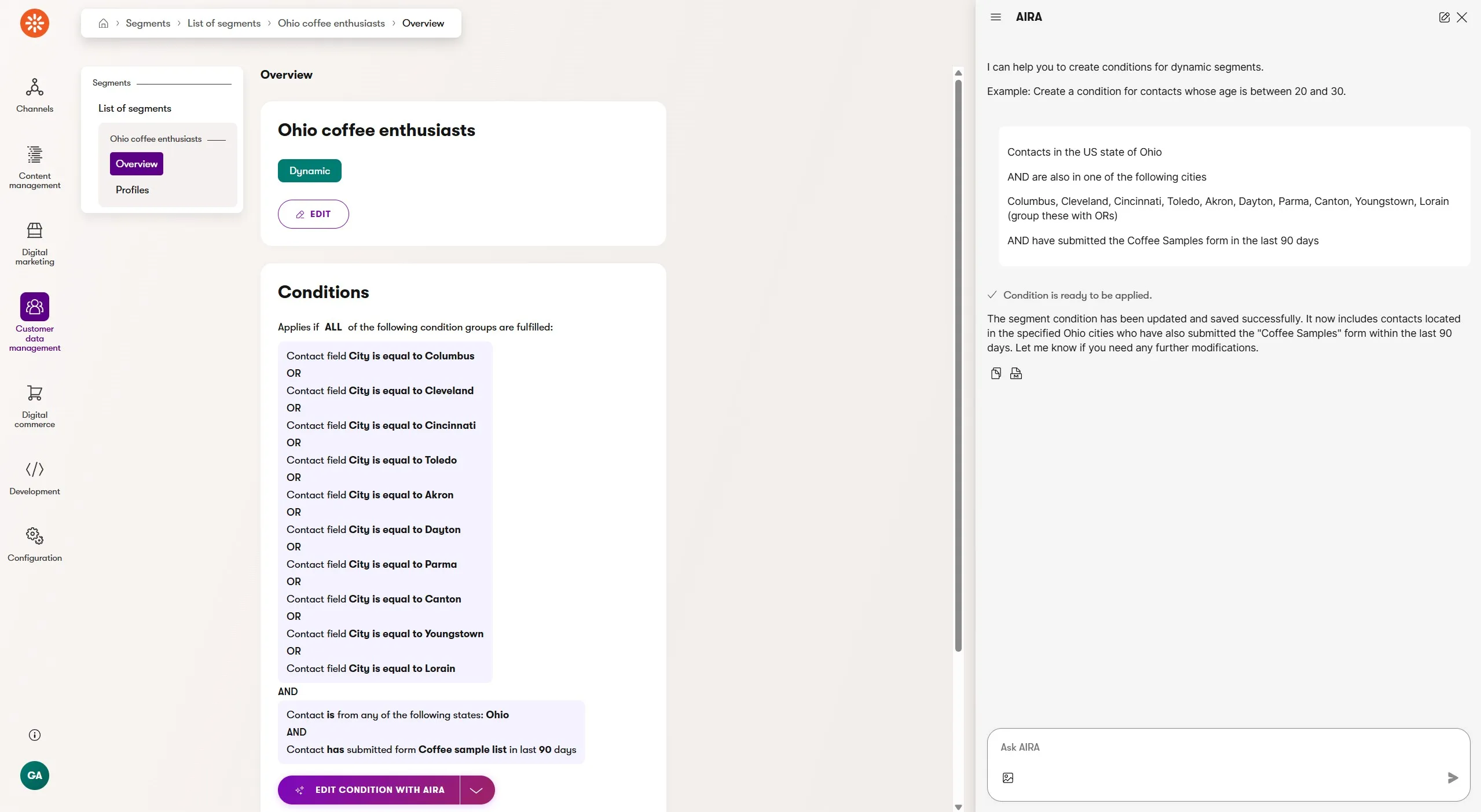
Segments are the new customer data platform tool for audience segmentation. They currently have many similarities to contact groups for traditional contact data, but segment conditions can now be built with AIRA's assistance.
Marketers can prompt AIRA to build out audience segments using the existing segment condition rules. AIRA has context about things like website channel pages and forms, so references to these items will be correctly translated to linked objects in the conditions.
In the case of complex or multi-rule conditions, AIRA can save marketers a significant amount of clicking and data entry time.
The manual condition builder is also available for full control or conditions that are difficult to express to AIRA.
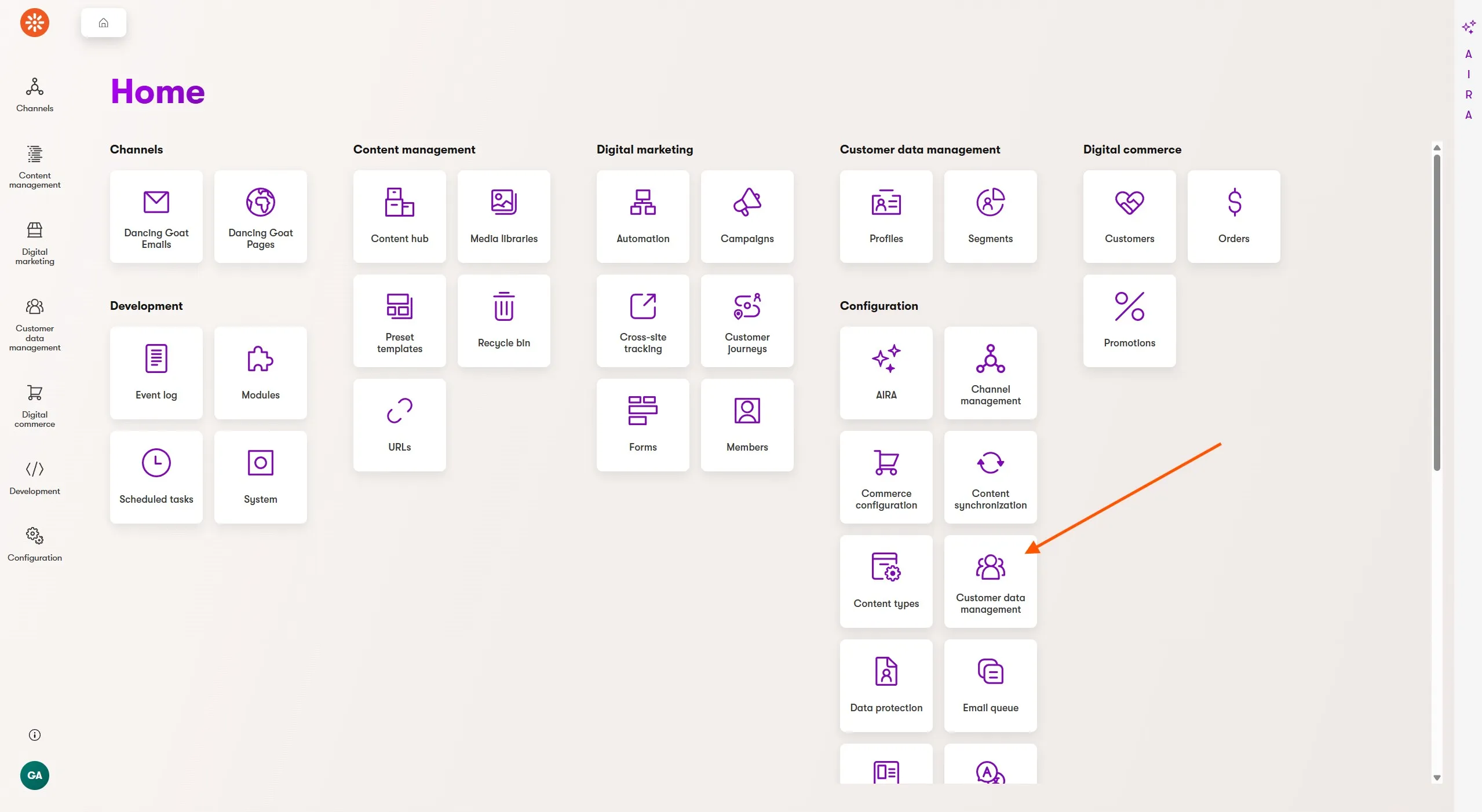
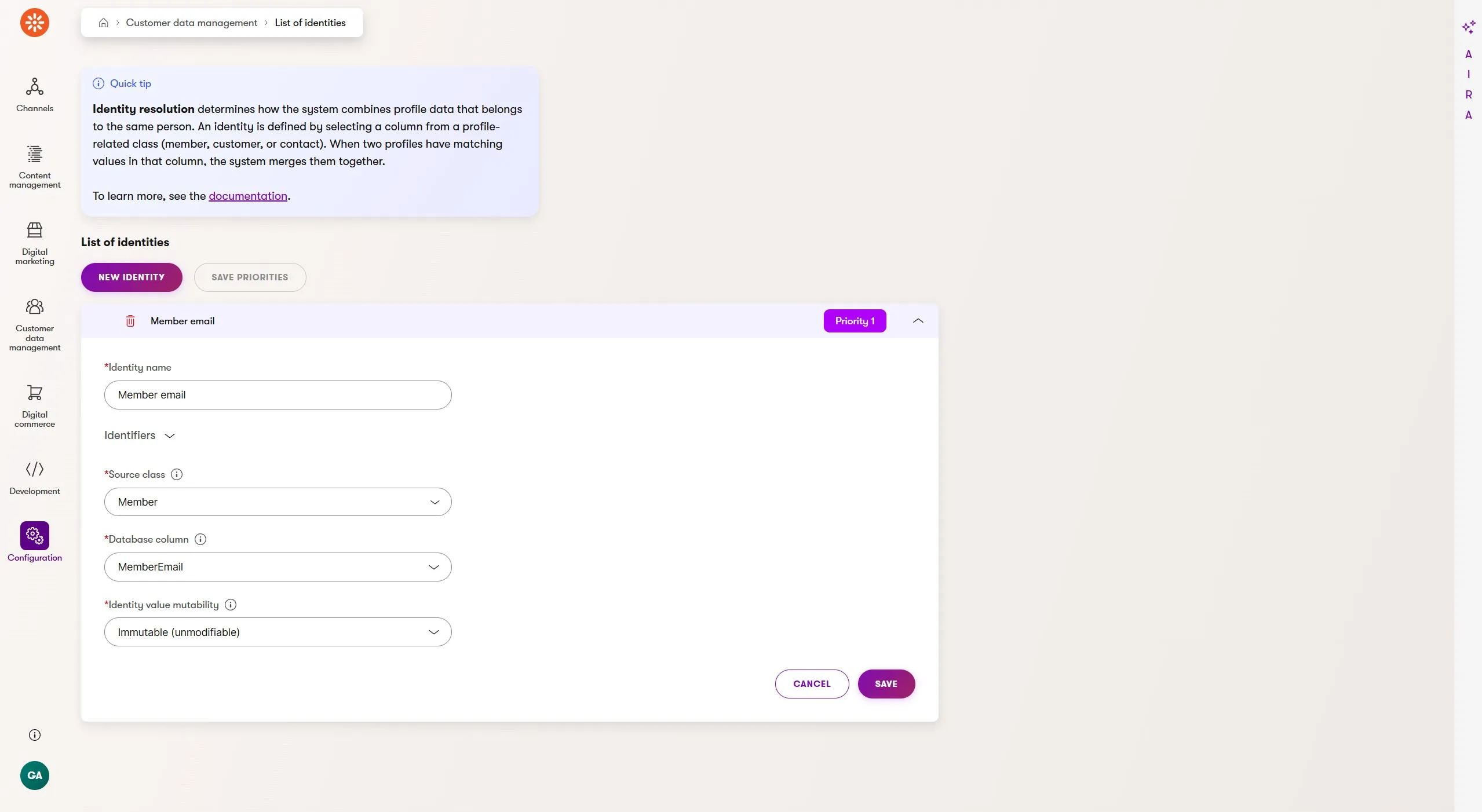
By bringing together customers, contacts, and members under a unified profile, marketers will encounter a new challenge - how should they determine when all these identities represent the same person?
To solve this challenge, we've introduced an identity resolution feature under the new customer data management application available from the Xperience administration dashboard.
The identity resolution feature is flexible enough for teams to choose identifier values unique to their customer ecosystems, like external identifiers from existing platforms, but they can also use fields native to Xperience, like a member's email.
As an example, when an organization has a membership driven portion of a website, visitors log in and identify themselves, even if they were previously considered a new contact under a new profile.
The login triggers the identity resolution and the visitor's new profile (with all their activities from the most recent session) is merged with their existing profile (from the last time they logged in).
Track credits with the AIRA Usage Overview
Marketing teams want to make sure they are leveraging all the AIRA agents and other capabilities available in Xperience today.
As they increase AIRA adoption in their daily workflows, they will be curious how many credits have been used and for which features, even if the team is well within their monthly credit limit.
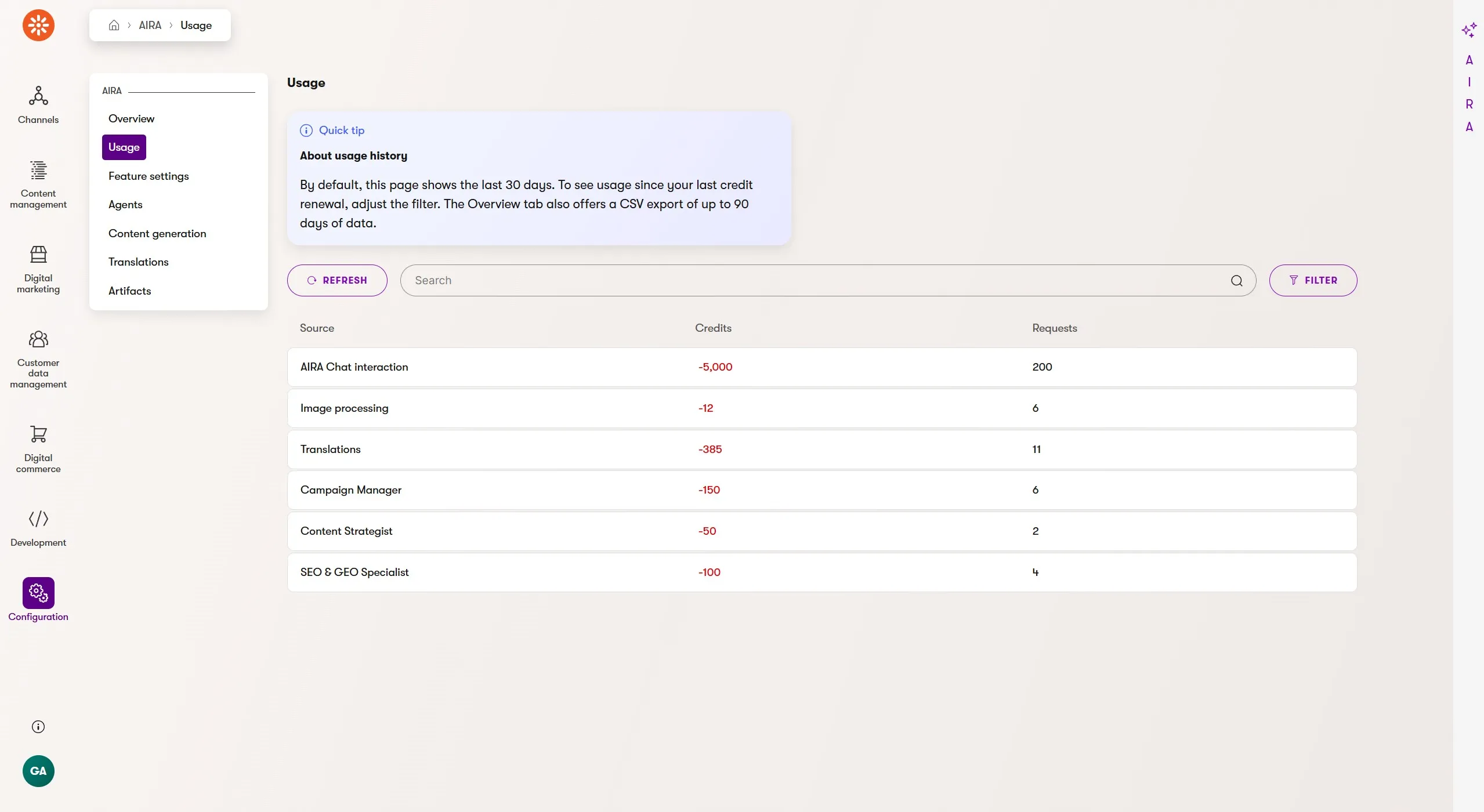
The AIRA overview and usage screens provide the details about credit availability and usage.
The overview screen shows the number of credits left until the next monthly renewal and the usage screen displays how many credits were used for each AIRA feature enabled in an Xperience application.
This includes features like image processing and translations, along with interactions with all of the AIRA agents.
Faster upgrades to Xperience by Kentico with KentiCopilot guided content migration
AI adoption is transforming software development, enabling developers to collaborate with AI agents - expanding their capacity to focus on higher-value tasks.
This is why we launched KentiCopilot - a suite of AI development tools that enables agentic development for Xperience by Kentico projects.
Our experience working with AI agents for software development has proven that AI can improve the developer experience of any task, including upgrades from Kentico Xperience 13 to Xperience by Kentico.
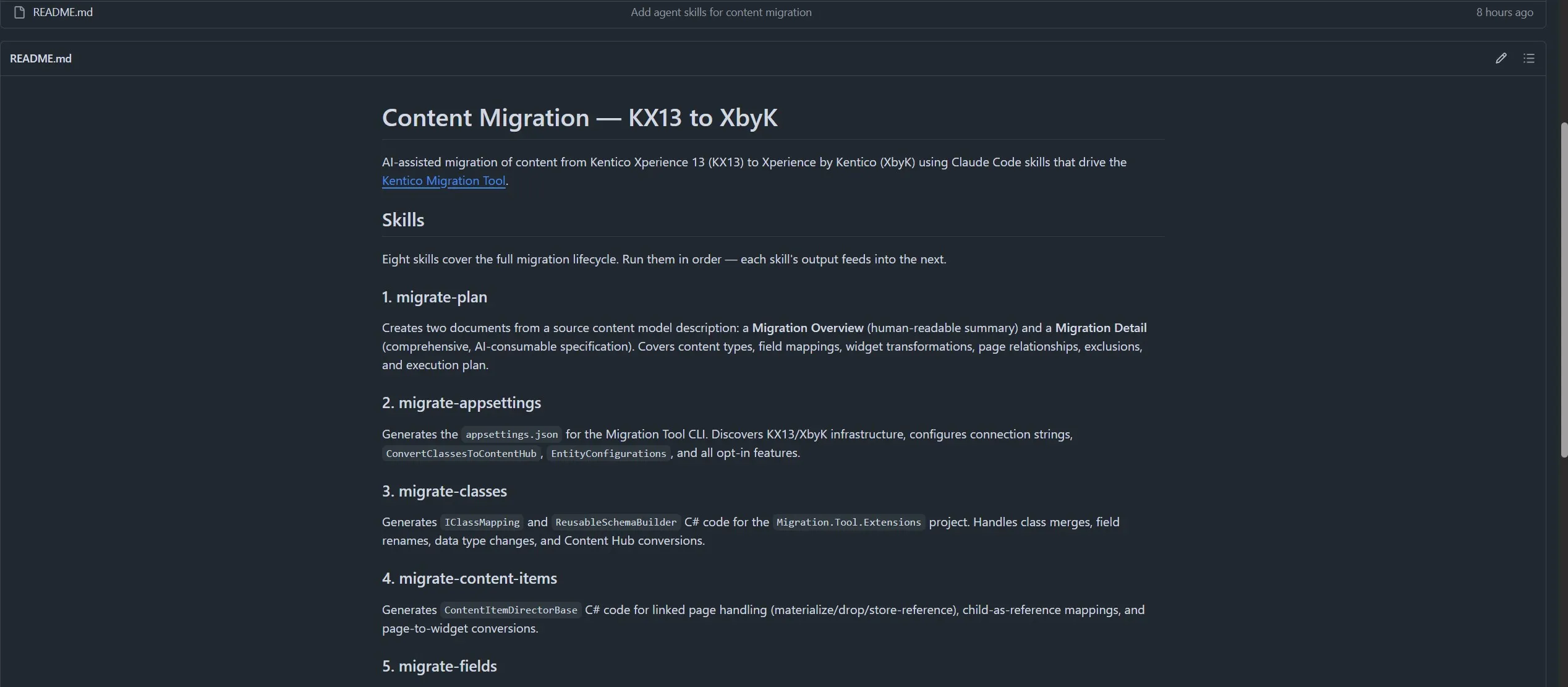
As part of our continuing investment in KentiCopilot, we added two new plugins to the KentiCopilot GitHub repository:
Kentico Xperience 13 content auditor - A CLI tool that reads a Kentico Xperience 13 (KX13) database and exports the content model as structured JSON files. Useful for auditing site content, planning migrations, and analyzing page types, content trees, forms, custom tables, and page builder usage.
Kentico Xperience 13 content migration - AI-assisted migration of content from Kentico Xperience 13 (KX13) to Xperience by Kentico (XbyK) using Claude Code skills that drive the Kentico Migration Tool.
Thanks to our adoption of standardized plugin marketplace and agent skills technologies, we've streamlined the adoption of these tools for developers.
This makes it easy for developers to try the tools, experiment, and measure the impact these agent skills can have on their upcoming or in-progress upgrades.
Deployment confidence with SaaS uptime monitoring
Xperience by Kentico SaaS provides a suite of monitoring features to help teams identify error, security, traffic, and resource usage trends over time, all within the Xperience Portal.
It also includes automatic uptime monitoring for each environment in a tenant by making requests to the administration login page. If the page responds with a 200 status code, the application is logged as healthy. In the case of a failed response, the Xperience Portal sends an immediate email alert to the project's users.
But, what if there are problems post-deployment in a website experience? Maybe there's a bug in the application code or a content marketer accidentally deleted some required reusable content. This could result in a website being unable render the home page, or a key search page failing with a 404 Not Found response.
For teams with multiple website channels, this simple uptime monitoring did not capture the full picture of their digital experiences.
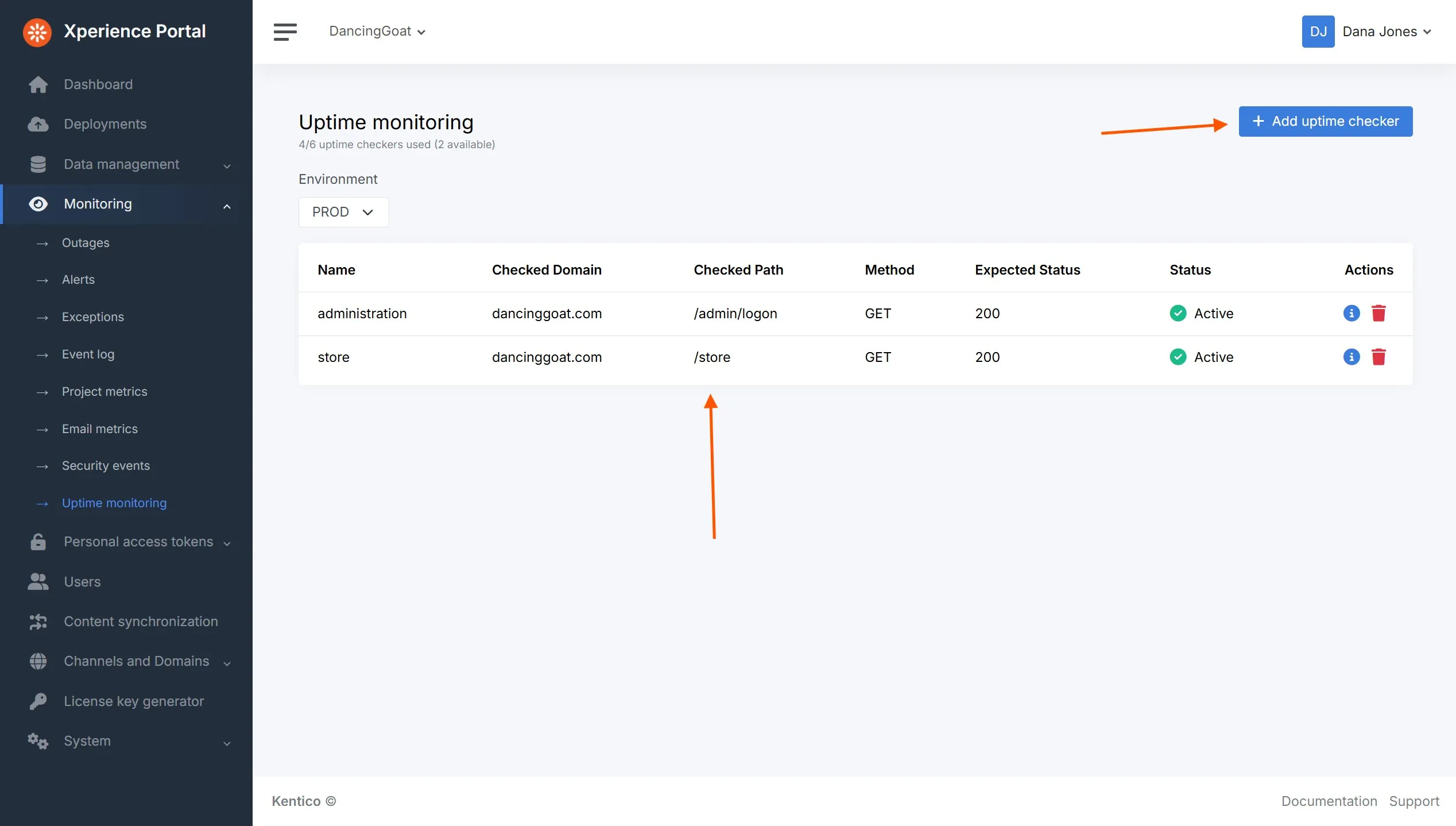
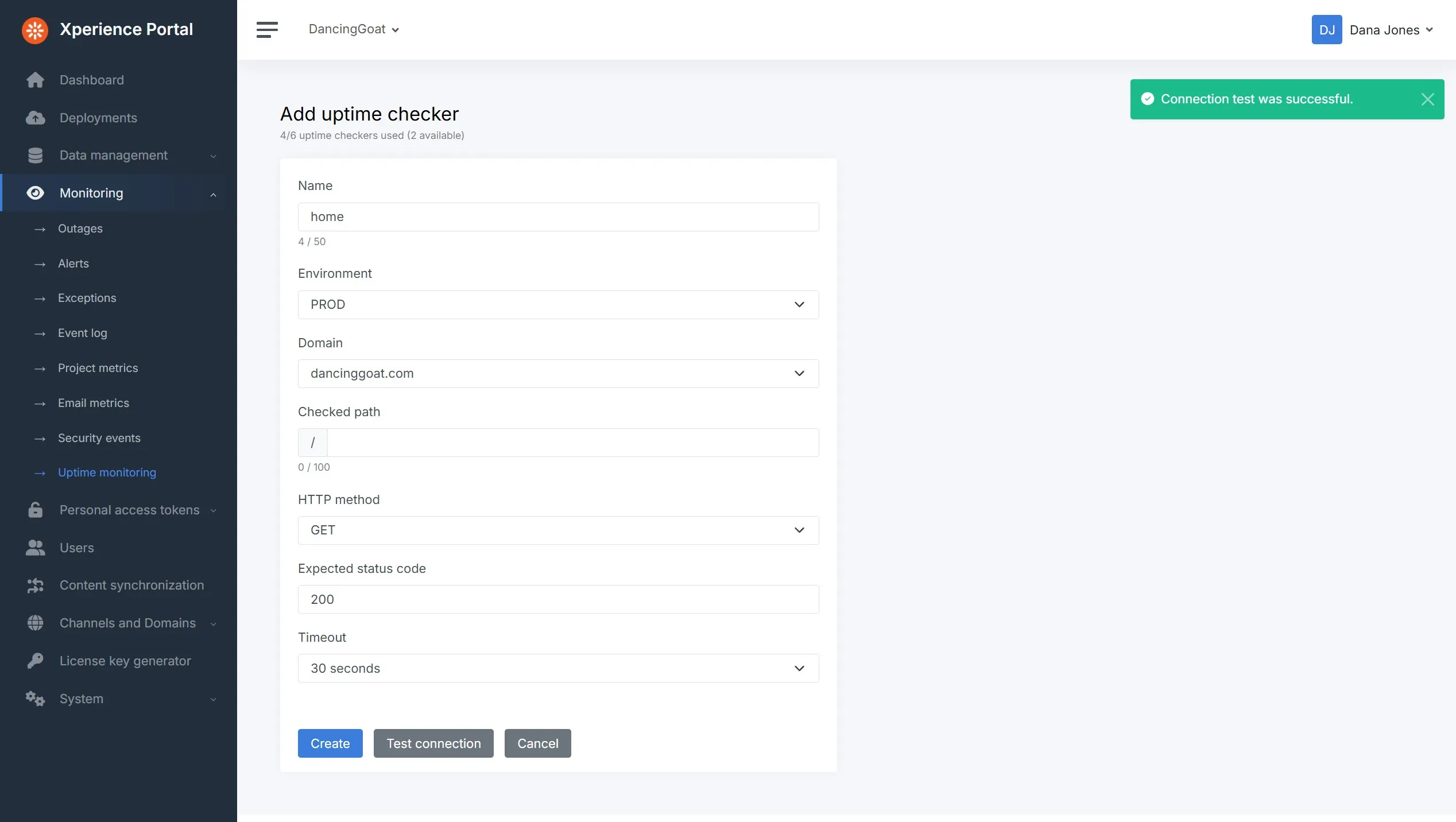
The Xperience Portal now supports extensible uptime monitoring and teams can add multiple uptime checker configurations across all environments (dependent on the number of website channels in your project), specifying the following options:
Environment
Channel / domain
URL path
HTTP method
HTTP response status code
Timeout
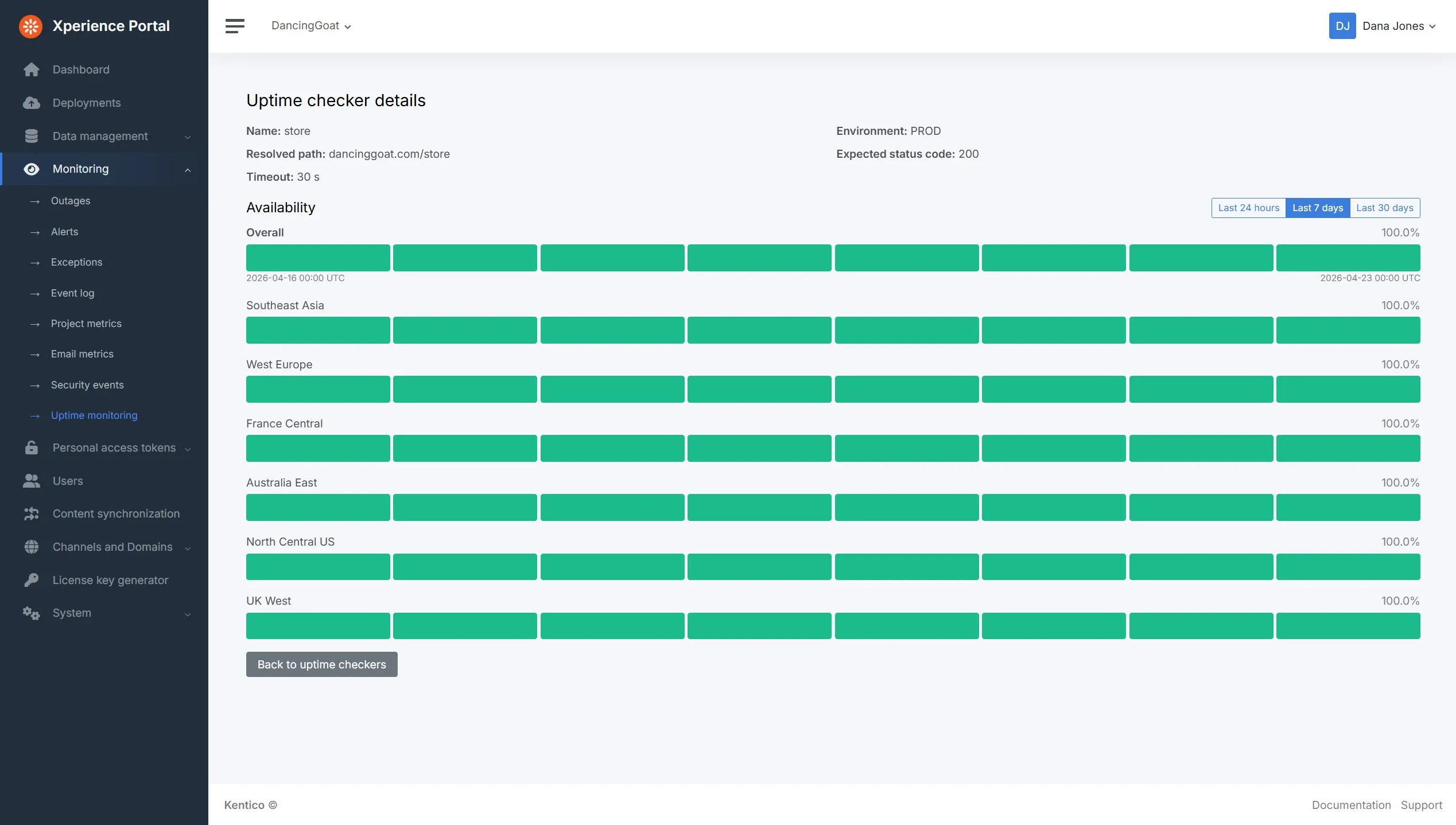
These checkers are run across multiple regions, making sure your experiences can be reached by your audience, no matter where they are.
Data is collected for each uptime checker and teams can review the historical results for the checker in an easy to understand visualization.
What's next?
As always, check out our documentation Changelog for the full Refresh feature and technical details.
We hope these new capabilities, features, and API improvements unlock solutions for you. Try them out and let us know 👋 what you think.
What's planned for the next Refresh?
Improved DNS Management & Diagnostics, for faster onboarding of new Xperience by Kentico SaaS projects and channels.
Content sync - detailed control over what will be synchronized, empowering marketers with more granular control when synchronizing content across environments.
These updates will, as always, accompany a number of UX and developer-focused improvements.
Check back soon for the next Xperience by Kentico Refresh review!
For the technical audience, this Refresh is represented by v31.4.0 of Xperience by Kentico.

Kentico Community
The Kentico Community