
I thought we were testing KentiCopilot. Instead, I learned how experienced AI developers really work.
When we started planning the next extension of KentiCopilot, our goal was simple.
So far, KentiCopilot had proven itself in individual development tasks. The next logical step was to take it beyond isolated operations and see how it performs in a realistic, end-to-end development scenario.
To do that, I prepared a challenge.
I wrote a specification for extending our existing Xperience by Kentico sample website with a completely new Blog section and asked Daniel Škvařil, our UX designer, to create a complete visual design. Together, these materials represented exactly what a developer would typically receive at the beginning of a real project—a polished design accompanied by a technical specification, with very little room for interpretation.
I expected the implementation to take days, perhaps even weeks.
Instead, the very next day, Jan Minář reached out to me with a working implementation.
Not only had he generated the content model and implemented the entire feature, but he was genuinely surprised by the quality of the generated code himself. There were still a few things to refine—as you would expect—but the result was far closer to production-ready than either of us had anticipated.
That immediately raised a bigger question.
If KentiCopilot could already do this, what else would it need before our partners could confidently rely on it for much larger development projects?
To find out, we prepared an even bigger challenge. Using Claude Design, we generated a complete website design roughly the size of a typical credit union project and asked Jan to implement it using the same workflow.
Watching that process completely changed how I think about AI-assisted development.
It wasn't the prompts that impressed me.
It was everything around them.
Afterwards, I sat down with Jan and asked him to explain how he actually works. What tools does he rely on? Why does he structure his AI workflows the way he does? And what separates someone who occasionally uses AI from someone who spends every day building production-ready applications with it?
The rest of this article summarizes the lessons I took away from that conversation. These aren't my ideas—they're Jan's. My goal is simply to share the insights that fundamentally changed the way I think about AI-assisted software development.

The prompt isn't the product anymore
If you spend enough time reading AI discussions online, you'll quickly notice a recurring question:
"People keep asking for prompts. I don't think prompts are the important part anymore."
That was my expectation as well.
Instead, Jan explained that prompts have become one of the least interesting parts of his workflow.
Experienced AI developers don't repeatedly explain the same things to the model. Instead, they invest time into building an environment where the AI already knows how to work. The prompt becomes surprisingly simple.
Teach the agent once. Create an agents.md file
One of the biggest mindset shifts for me was understanding the role of agents.md.
Instead of explaining coding conventions, project structure, documentation, validation steps, and available tools in every conversation, Jan teaches the agent once.
Things that are always true belong in the agent's permanent instructions:
- Where is the documentation?
- Which MCP servers should be used?
- How should code be structured?
- How should completed work be validated?
Jan also recommends telling the agent where not to look. Instead of searching the web or guessing APIs, his agents.md explicitly instructs the agent to use the Kentico documentation through the Documentation MCP Server and to perform administrative tasks through the Management MCP Server.
The AI starts every task with the same shared understanding, not because the prompt was longer, but because the environment was smarter.
(Example of my agents.md file:)
## Project overview

- high-level overview of this project, its purpose and URL it launches on

## Environment info

- quick overview of tech stack and environment specific things

## MCP usage

- use Kentico Docs MCP for XbyK related information lookup or when lost
- use Content Management MCP for any work with content, don't use browser or code

## Defined coding conventions

- how to write code, specific to organization

## Useful commands

- how to run, how to build, etc.

## How to validate work
Not every piece of knowledge belongs in the same place
Another interesting lesson was how Jan separates permanent knowledge from specialized knowledge.
Permanent instructions should only contain information that's always relevant.
Everything else becomes a reusable skill.
For example:
- how to build a content model from a static HTML design
- how to work with content retrieval widgets
- how to validate a finished implementation
- how to compare the generated website against the original design
Those are capabilities the AI only needs occasionally.
Keeping them separate makes the whole system easier to maintain—and easier for the AI to navigate.
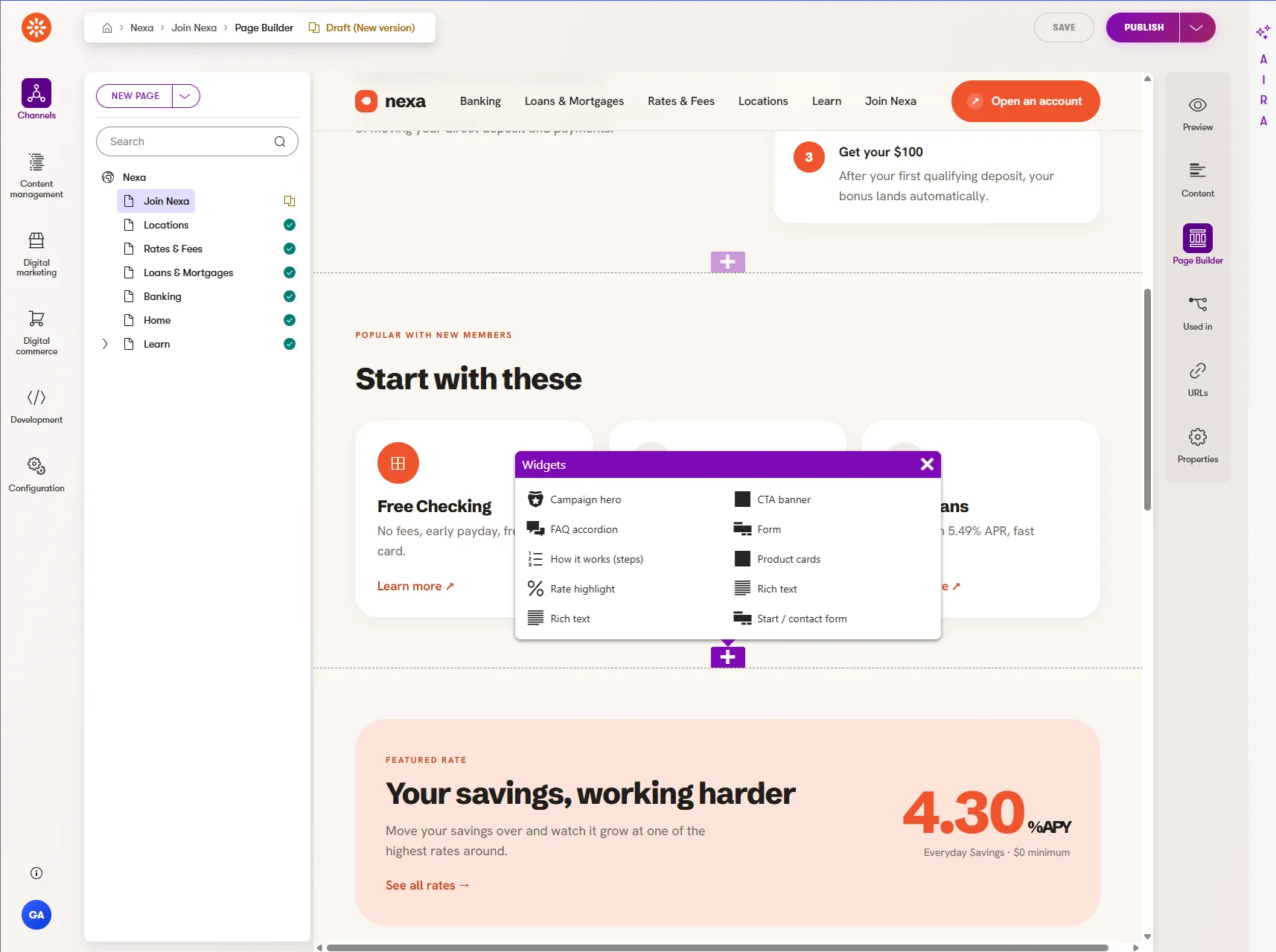
Validation is more important than generation
One sentence from our conversation really stuck with me.
Generating code isn't the difficult part anymore. Knowing whether the generated code is correct is.
Jan spends just as much effort teaching the AI how to validate its work as he does teaching it how to generate it. Instead of asking:
"Build this page."
He also teaches the AI to ask itself:
Does the generated page match the design?
Does everything work in the browser?
Are there visual differences?
Did anything break?
How does the agent answer these questions?
Opening the browser
Running Playwright tests
Comparing screenshots of web pages
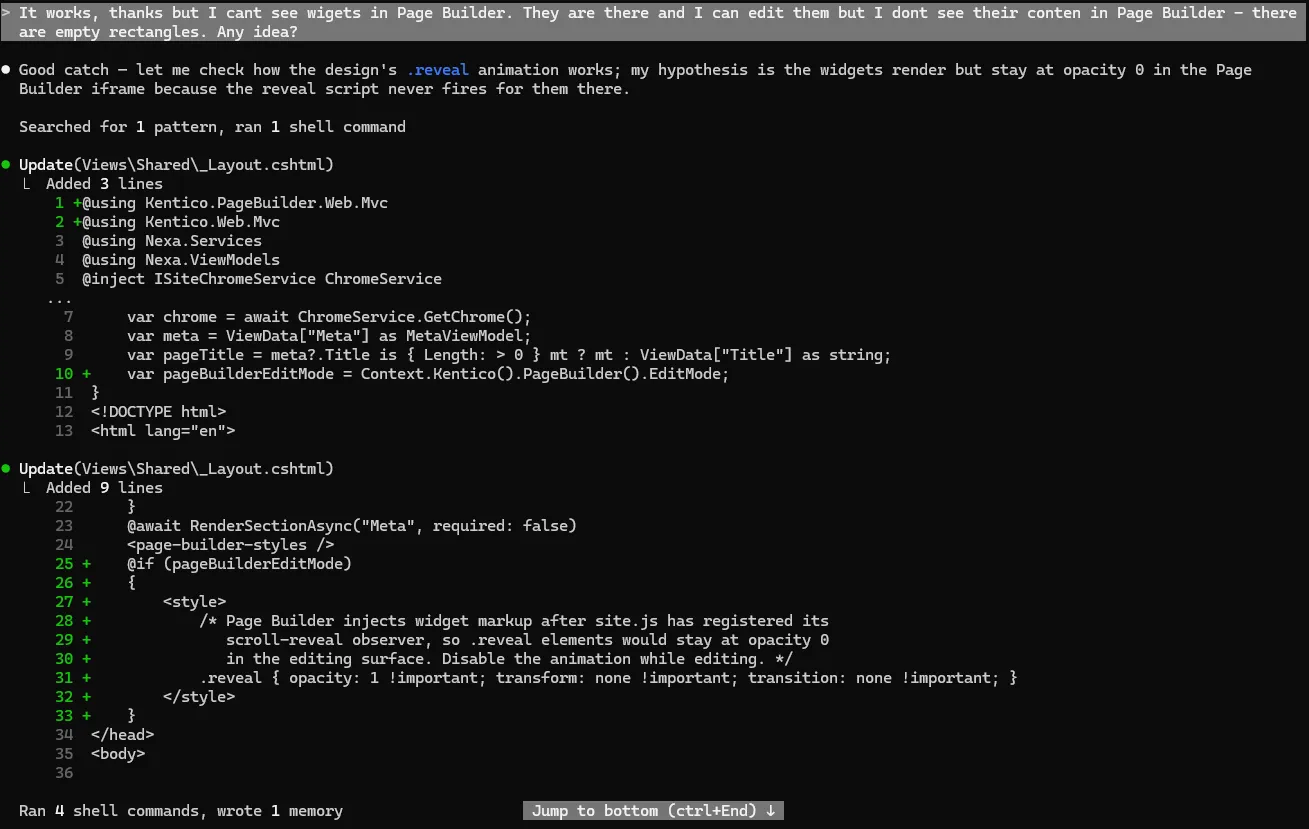
The important part is that the AI doesn't simply stop after generating code. It verifies the result.
Think like a team, not like a developer
The last concept that completely changed my thinking was the use of subagents.
When developers work together, nobody expects one person to hold the entire project in their head, because the work gets divided.
AI can work exactly the same way.
Instead of asking one agent to solve everything, Jan lets specialized subagents solve individual problems.
One creates the content model.
Another configures content types through the Management MCP Server.
Another validates the implementation.
The main agent simply orchestrates the work.
Besides producing better results, this also helps reduce context usage and allows much larger tasks to complete successfully.
Don't ask AI to code. Ask it to think first.
Another habit Jan showed me immediately found its way into my own workflow.
When working on anything non-trivial, he rarely asks Claude Code to start implementing right away.
Instead, he begins with Plan Mode.
The first step isn't writing code—it's understanding the problem.
The agent explores the codebase, reads the documentation, identifies dependencies, and produces an implementation plan before changing a single file. The idea is surprisingly similar to how experienced developers work.
Before implementing a feature, you usually spend time investigating the codebase, understanding the architecture, and thinking through potential pitfalls. Only then do you start coding.
Plan Mode encourages the agent to do exactly the same thing. For larger projects, Jan often takes this one step further.
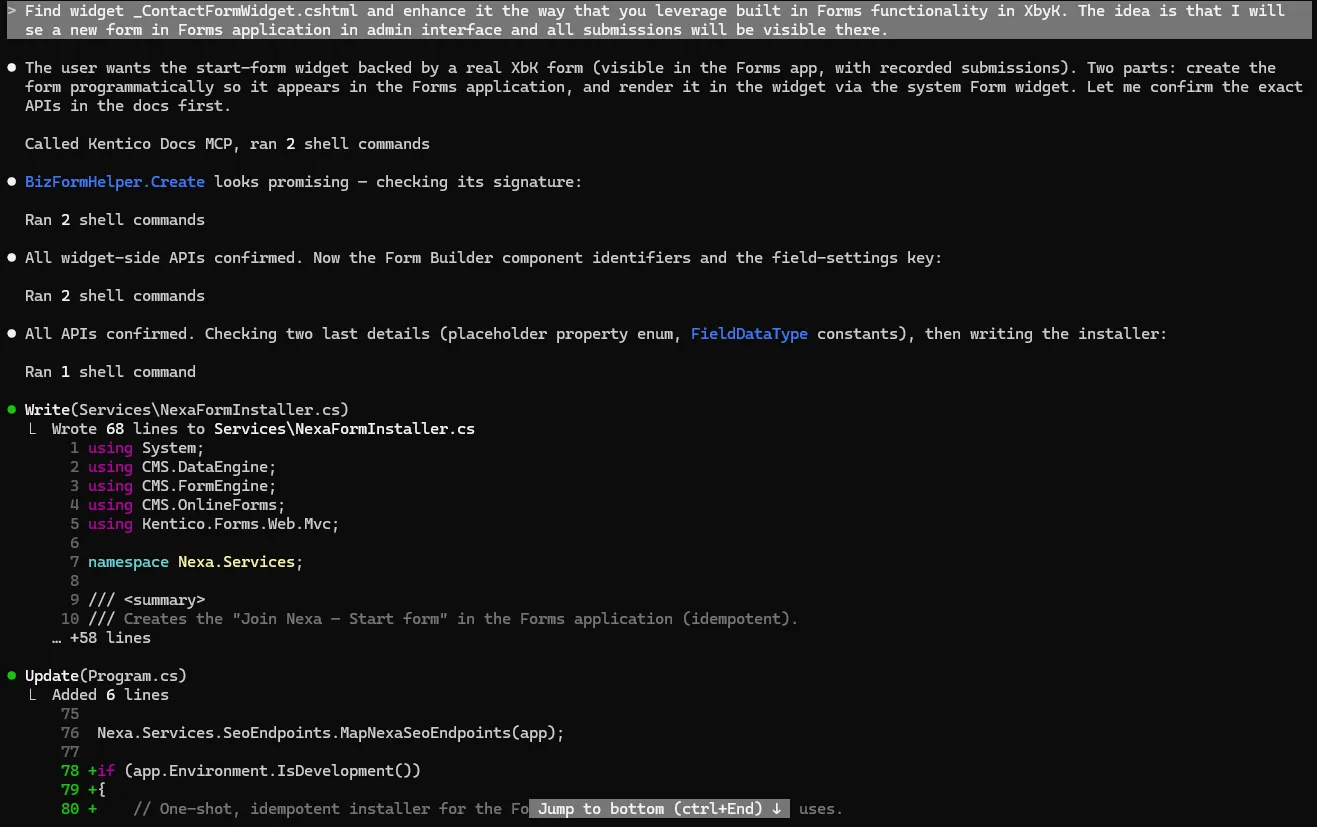
Instead of asking Claude Code to complete everything in one go, he lets it generate a detailed implementation plan first. Once he's happy with the approach, he asks the agent to execute it one step at a time.
This has two major advantages.
It's much easier to review the overall approach before thousands of lines of code are generated.
Each implementation step stays focused, reducing context usage and making it easier for the agent to recover if something goes wrong.
Ironically, spending more time planning usually means spending less time fixing mistakes later.
The biggest lesson
I started that conversation expecting to learn better prompts. Instead, I learned that prompts are becoming less important.
The real productivity gains come from designing the right environment.
Give the AI access to documentation.
Give it the right MCP servers.
Teach it your coding conventions.
Provide reusable skills.
Teach it how to validate its own work.
Split large tasks into smaller ones.
Once all of that is in place, the prompt itself often becomes surprisingly simple.
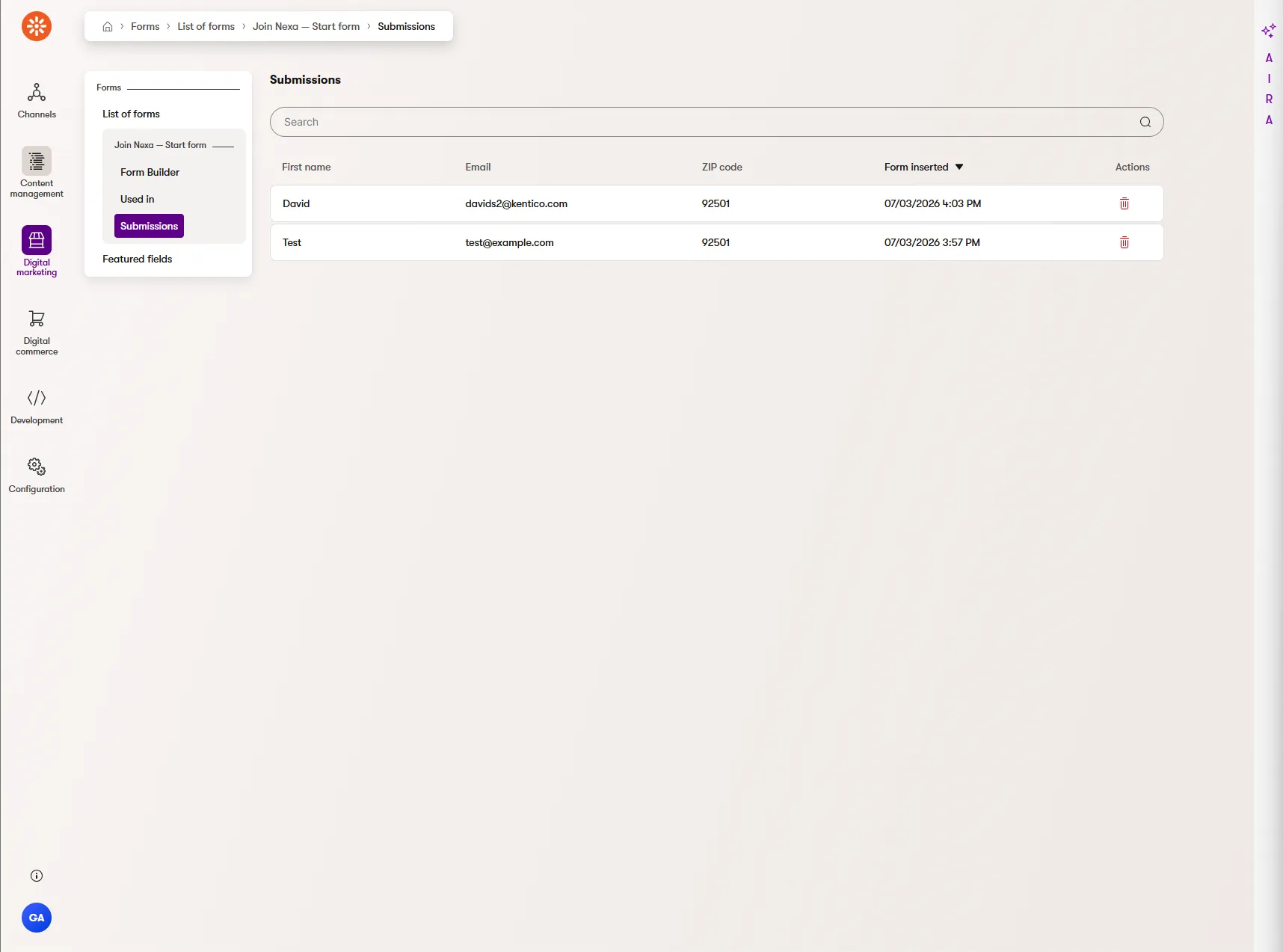
The good news? You won't have to build this yourself.
If you've read this far, you may have noticed that almost everything I described in this article is about creating the right environment for AI agents—not writing better prompts.
The good news is that this is exactly the direction we're taking with KentiCopilot. The workflows around project setup, reusable skills, documentation, MCP servers, validation, and agentic website development are actively being built into the product, so developers won't have to assemble this ecosystem from scratch.
My colleagues are already working on making these capabilities available out of the box as part of our KentiCopilot Agentic Website Development extension. I can't wait to see these experiments evolve into features that every Xperience by Kentico developer can simply turn on and use.
And as a reward for making it all the way to the end of this article, here's a little secret.
If everything goes according to plan, you'll probably get your hands on many of these capabilities much sooner than you think—as part of our August Refresh. 😉
A note on real-world projects
One thing I'd like to emphasize before you start experimenting with these workflows yourself.
Everything described in this article comes from experiments we ran inside the Kentico product team. We build Xperience by Kentico itself—not customer websites—and that's an important distinction.
Our goal wasn't to simulate a complete implementation project. We wanted to answer a much narrower question:
How far can we push AI-assisted development when building an Xperience by Kentico application?
That allowed us to work in relatively controlled conditions and focus on the development workflow itself.
Real customer projects are different. They involve discovery, changing requirements, stakeholder feedback, integrations, content migration, QA, deployments, and countless project-specific decisions that naturally happen during implementation.
That's why I don't see the workflows described here as production-ready best practices just yet.
I see them as promising experiments.
The next step is validating them together with our implementation partners, who solve these real-world challenges every day.
If these ideas prove valuable there too, I'll be even more excited about where KentiCopilot is heading.

David Slavik
I'm a Product Strategist at Kentico and part of the Product team working on Xperience by Kentico. My role is to help bridge the gap between our customers, partners, and our product teams, ensuring that customer feedback is reflected in our product strategy, roadmap, and priorities. My goal is to help shape a product that solves real-world challenges and delivers the best possible experience for developers, marketers, and content editors.
I've been working with Kentico products since 2010. I started my journey as a Kentico developer and later held various technical and consulting roles at digital agencies delivering Kentico solutions. This hands-on experience gives me a deep understanding of the challenges our customers face every day and helps me represent their perspective when shaping the future of Xperience by Kentico.