Check out this month's update to Xperience by Kentico. It brings customizable form submission exports, developer-focused improvements in content modeling and Dancing Goat, and a UX enhancement for marketers authoring multiple content items. But of course, that’s not all. Explore the updates we’ve delivered in Xperience by Kentico.

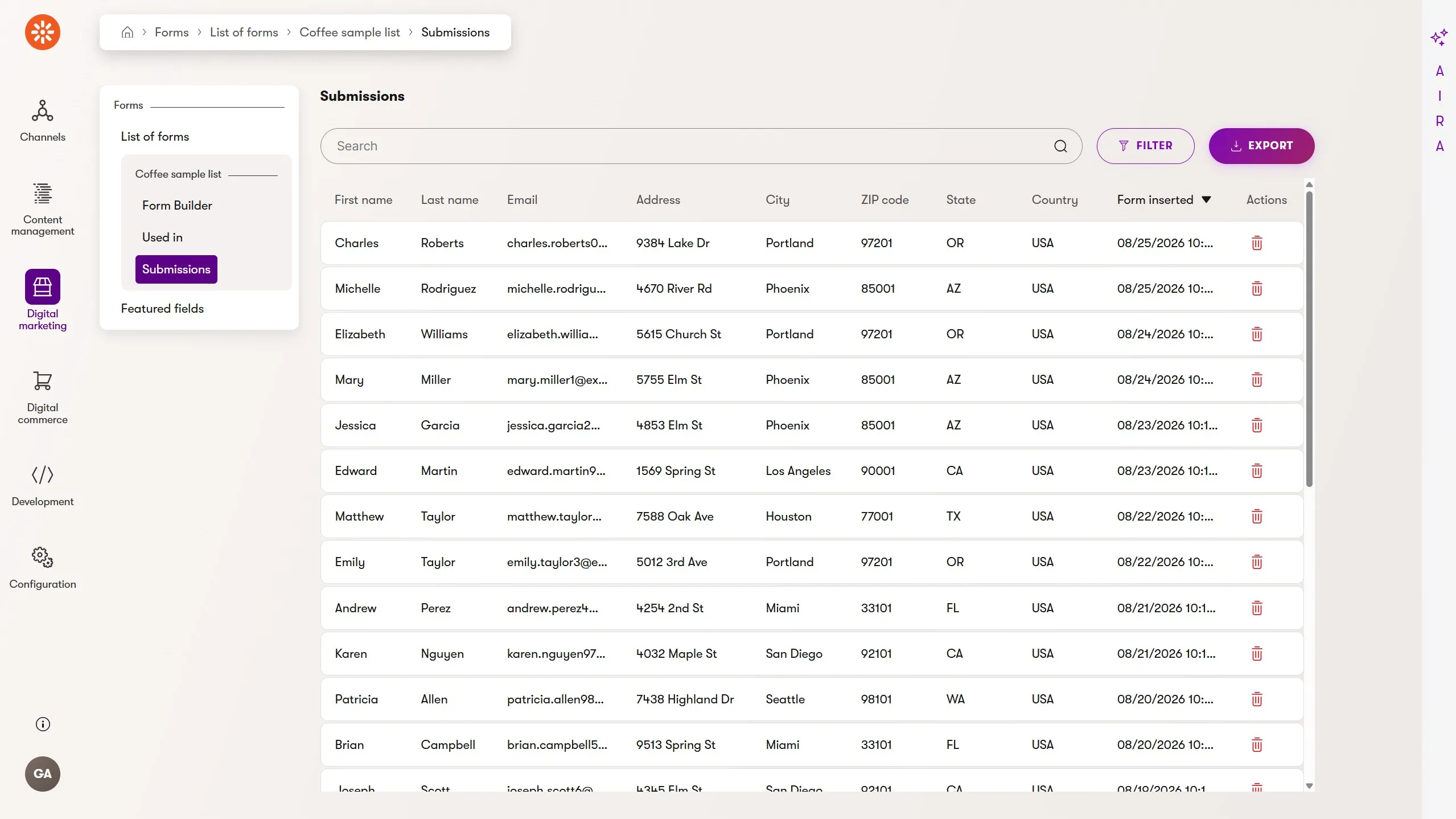
Supporting external workflows with form submission exports

Customer data inside Xperience by Kentico, including contacts, dynamic contact groups, and activities, helps marketers understand who their visitors are, what they want, and where there are opportunities to optimize customer experiences.

Xperience already includes first-class tools, such as marketing automation extensibility and our CRM integration, that can enrich this data and synchronize it to external systems. They are especially useful when there's a well-defined process of transformation and destination.

But sometimes the most immediate tool is the best.

This is often true with data collected through forms created with Xperience's visual Form Builder.

For scenarios in which a marketer just needs to export the collected submissions for offline use or to quickly upload to another service, the new form submission export feature is a well suited.

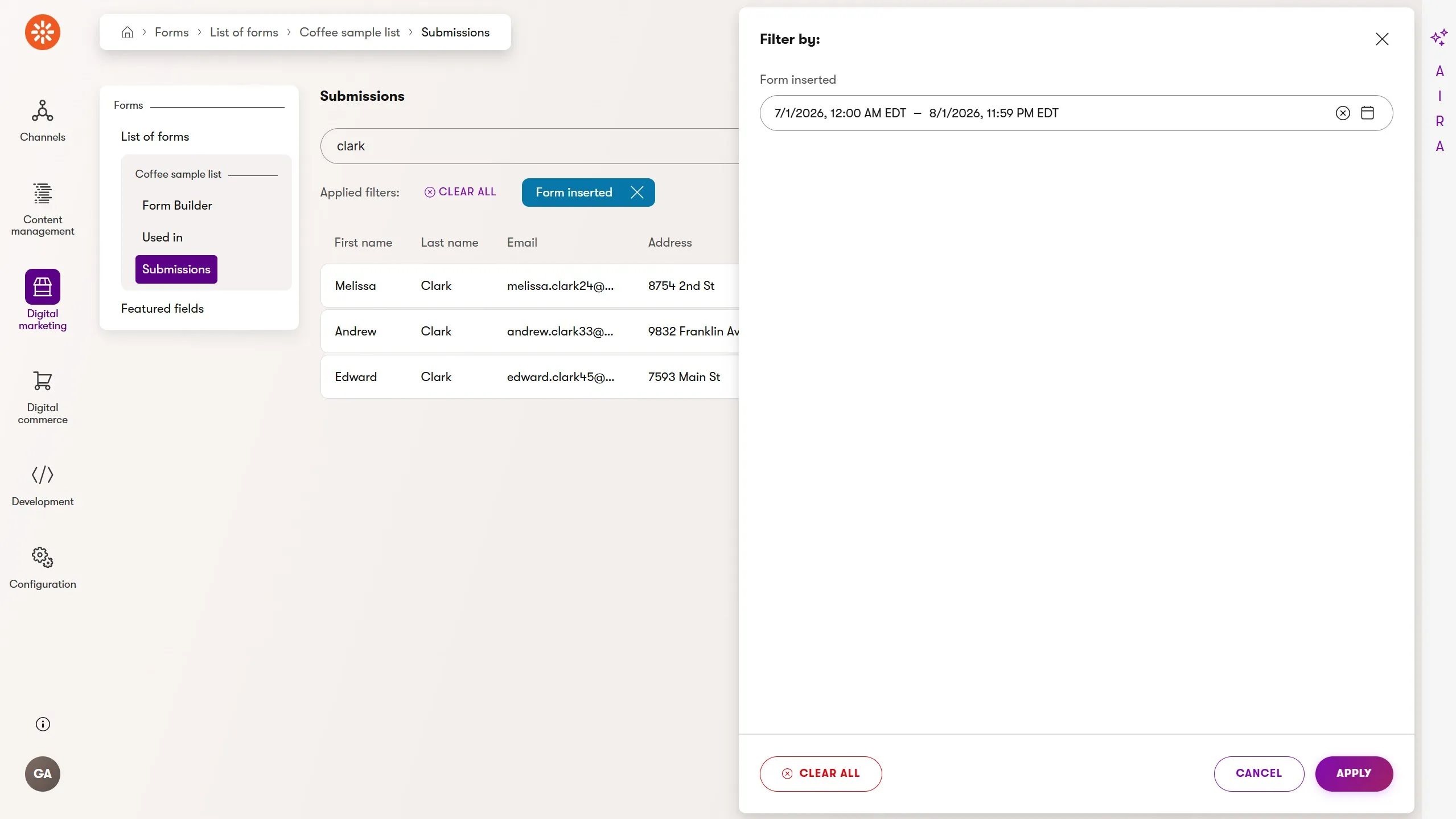
Marketers can filter submission data by text and submission date. The filtered results are the exact records included in the export, even with multiple pages of results.

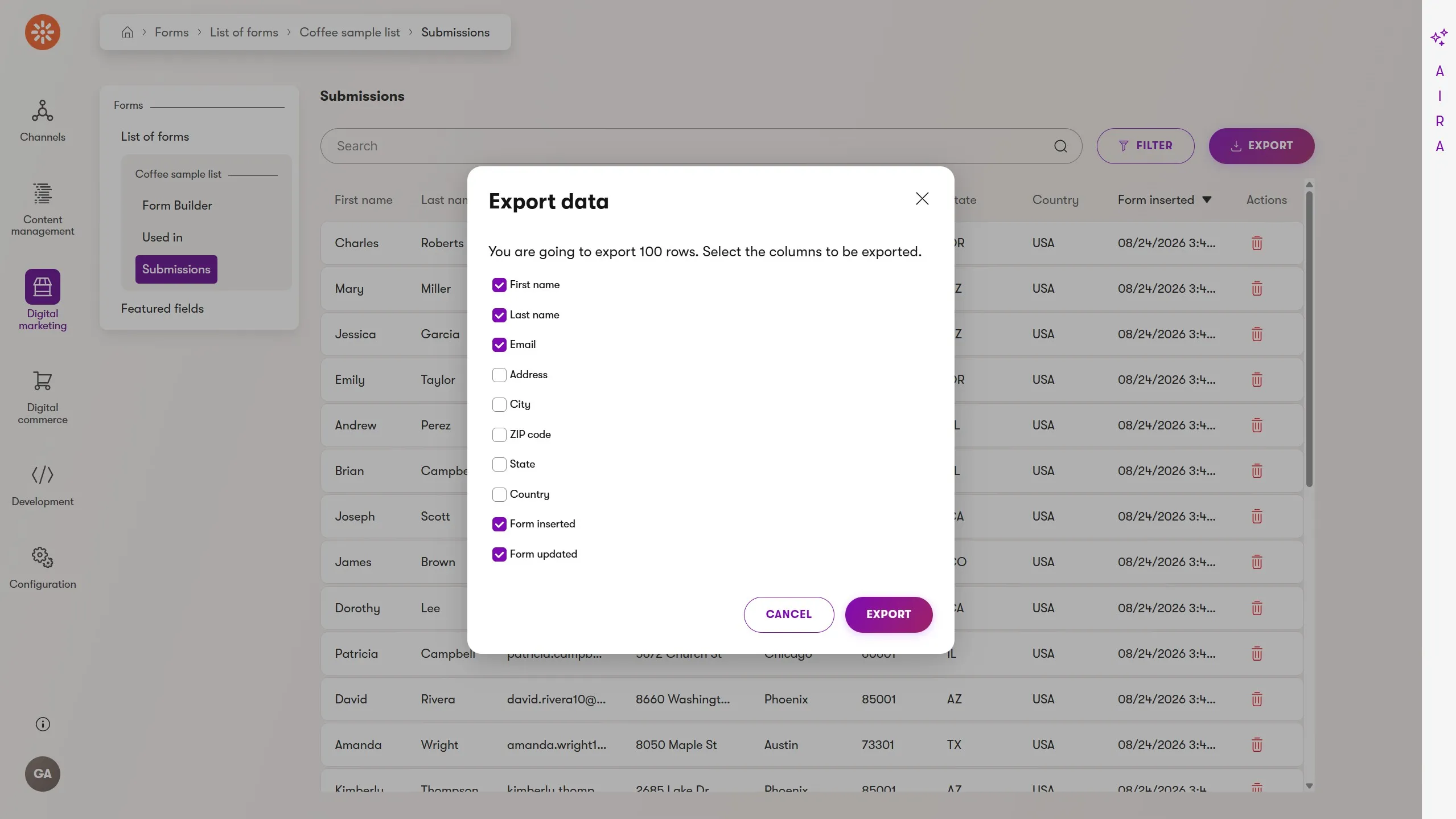
Clicking the export button displays a modal dialog where users can select the specific fields they want to export, preparing the data for each use case and minimizing the transfer of shared customer information.

The export generates a .csv named after the form - simple and universal.

You can use our existing text extractor API to customize how each type of data is converted to a string value in the generated .csv file, whether that's geographic coordinates or emojis.

If you have compliance requirements and need to track when an export happened and who performed it, you can use the AfterExportListingEvent global event to log that action inside Xperience or send it to an organization-wide compliance tool.

Staying in the content authoring flow with save and create another

Inline content creation through content item forms and builder components is a much-loved UX feature in Xperience by Kentico.

Marketers can author content within their content model relationships without planning the process or navigating between pages to create the content needed for later relationship linking.

Not all content is built from graphs of interrelated structured content. Sometimes a marketer needs to create five content items of the same type, such as events, office locations, or downloadable PDF assets.

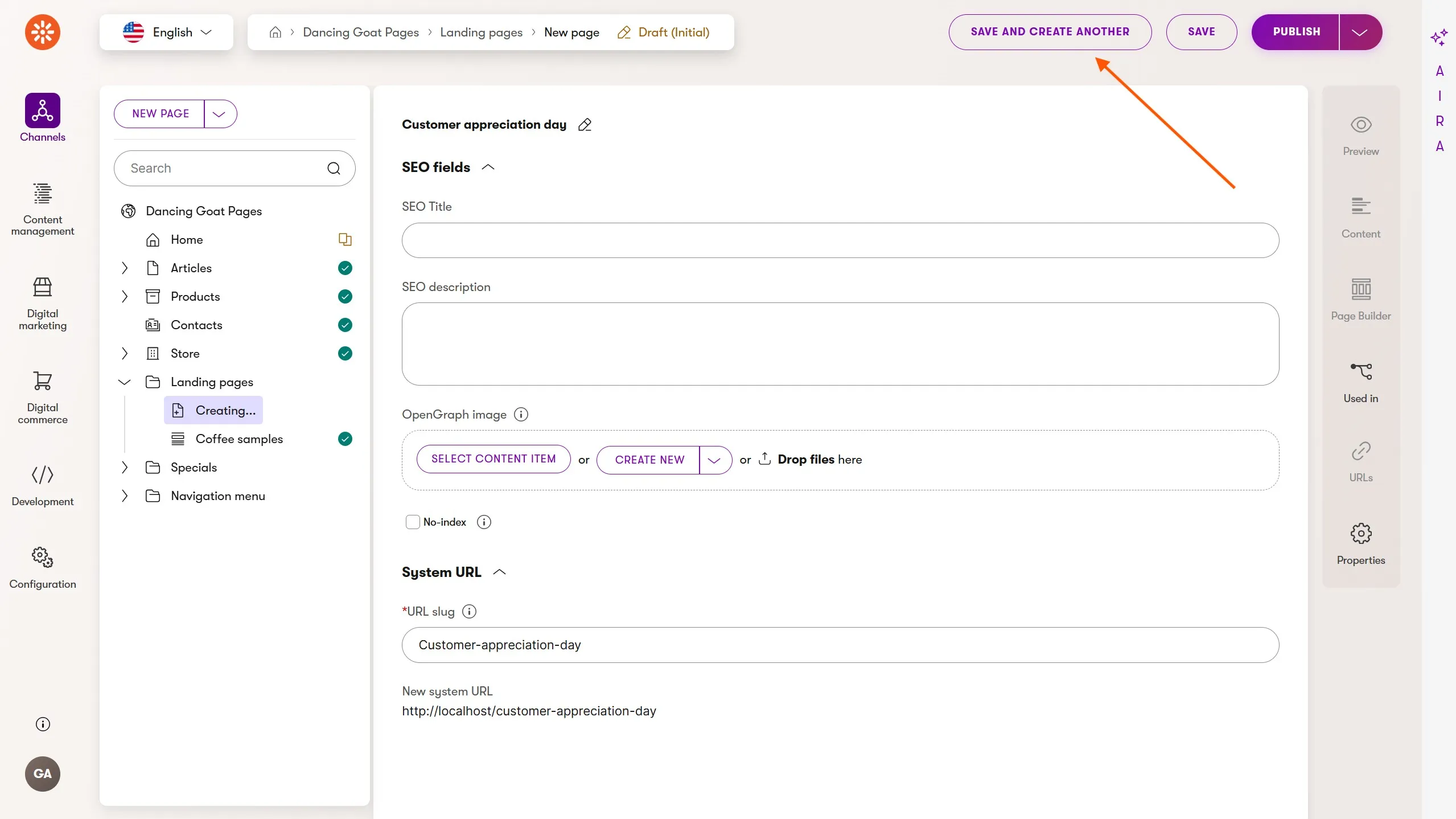
This kind of content author benefits from a fluid transition from creating one item to creating the next. This is why we added a save and create another button to the content forms for reusable, web page, and headless content items.

This is why we added a save and create another button to the content forms for reusable, web page, and headless content items.

The video above shows the new experience: creating multiple items of the same type without navigating back to the initial Create new item action in the Content hub listing.

All content type validation rules still apply; we simply removed the unnecessary step in the process.

You'll see the same action available for web pages in website channels as reusable content items in the Content hub. Each new item uses the same settings as the first item. For example, each new web page created this way will have the same parent web page or folder and the same page template.

Once you choose the standard Save option, you’ll exit the save-and-create-another flow and can focus on authoring and optimizing that content item.

Advanced content modeling with custom data types and reusable field schemas

Xperience by Kentico’s flexible and feature-rich content modeling architecture helps marketing teams structure, author, and govern content across their digital channels in a single application.

It supports everything from web-page-centered content models to rich multichannel content graphs, with educational materials to help teams make the best decisions for their Xperience project.

Xperience is also extremely extensible for scenarios where the built-in data types and UI Form Components, for storing and editing structured data respectively, don't quite cover your specific needs.

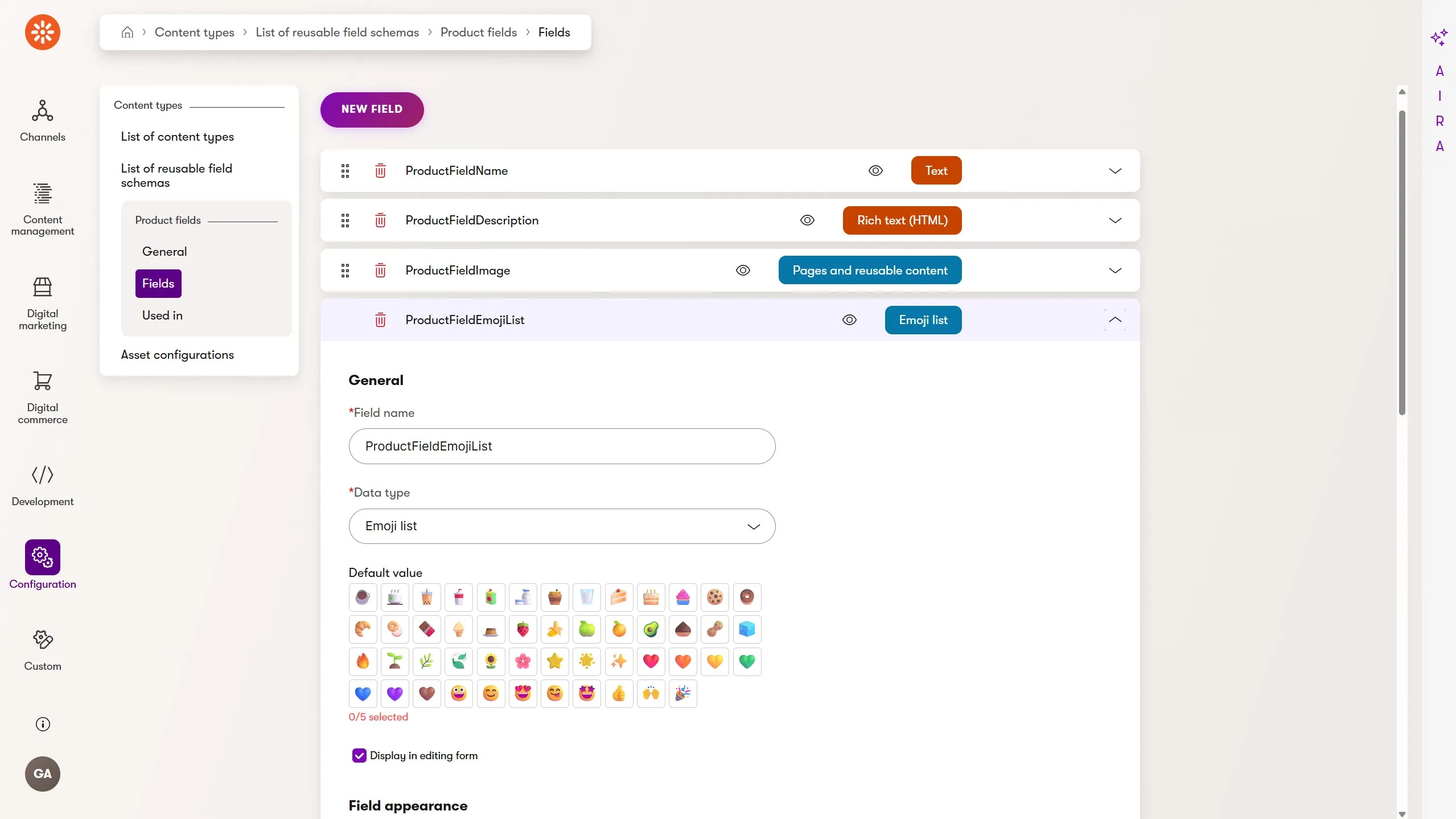
This Refresh expands this advanced content modeling capability, making it possible to create fields in reusable field schemas with custom data types.

The image above shows a Product Fields schema with an emoji list field that uses the custom Emoji List data type.

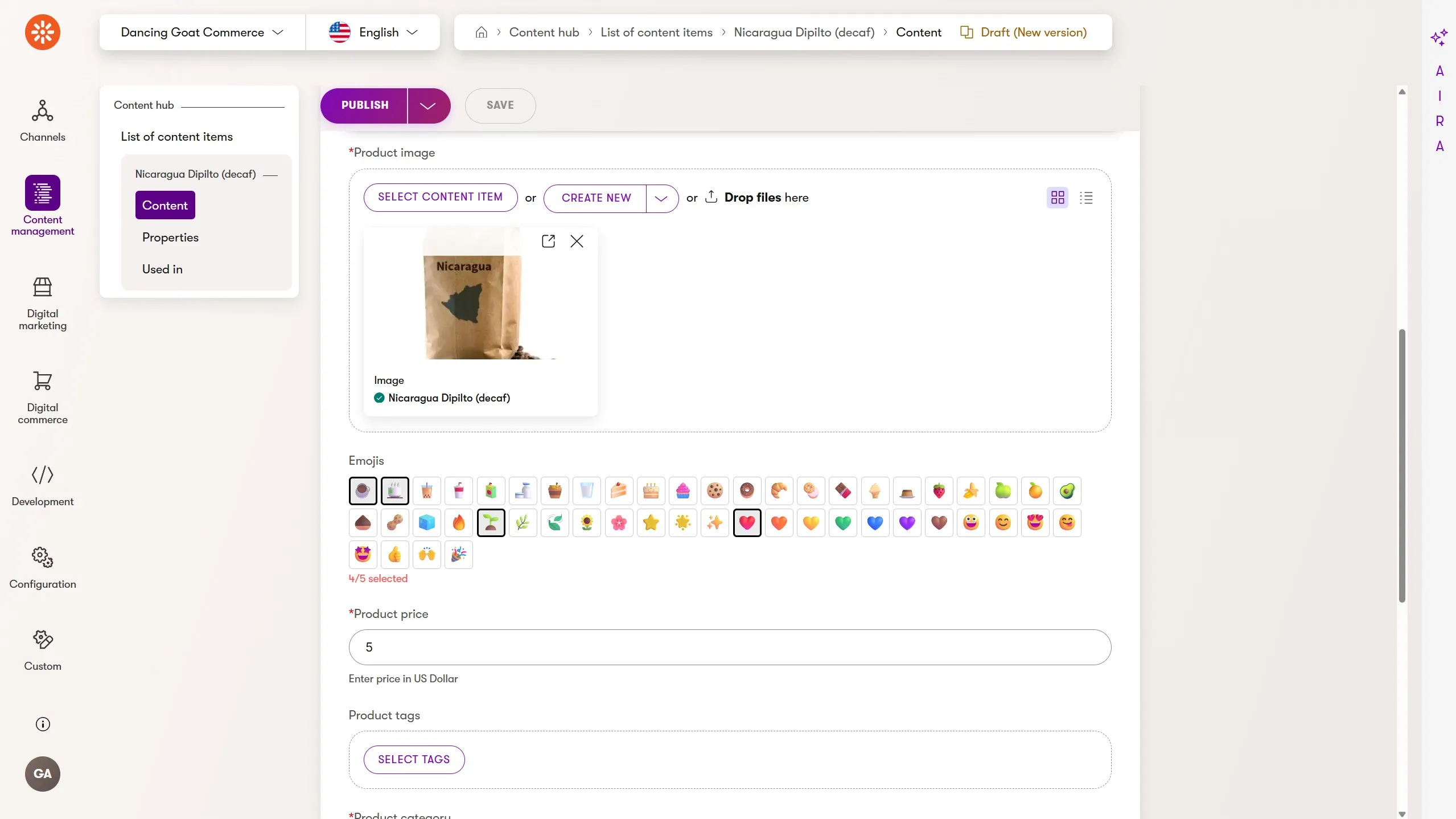
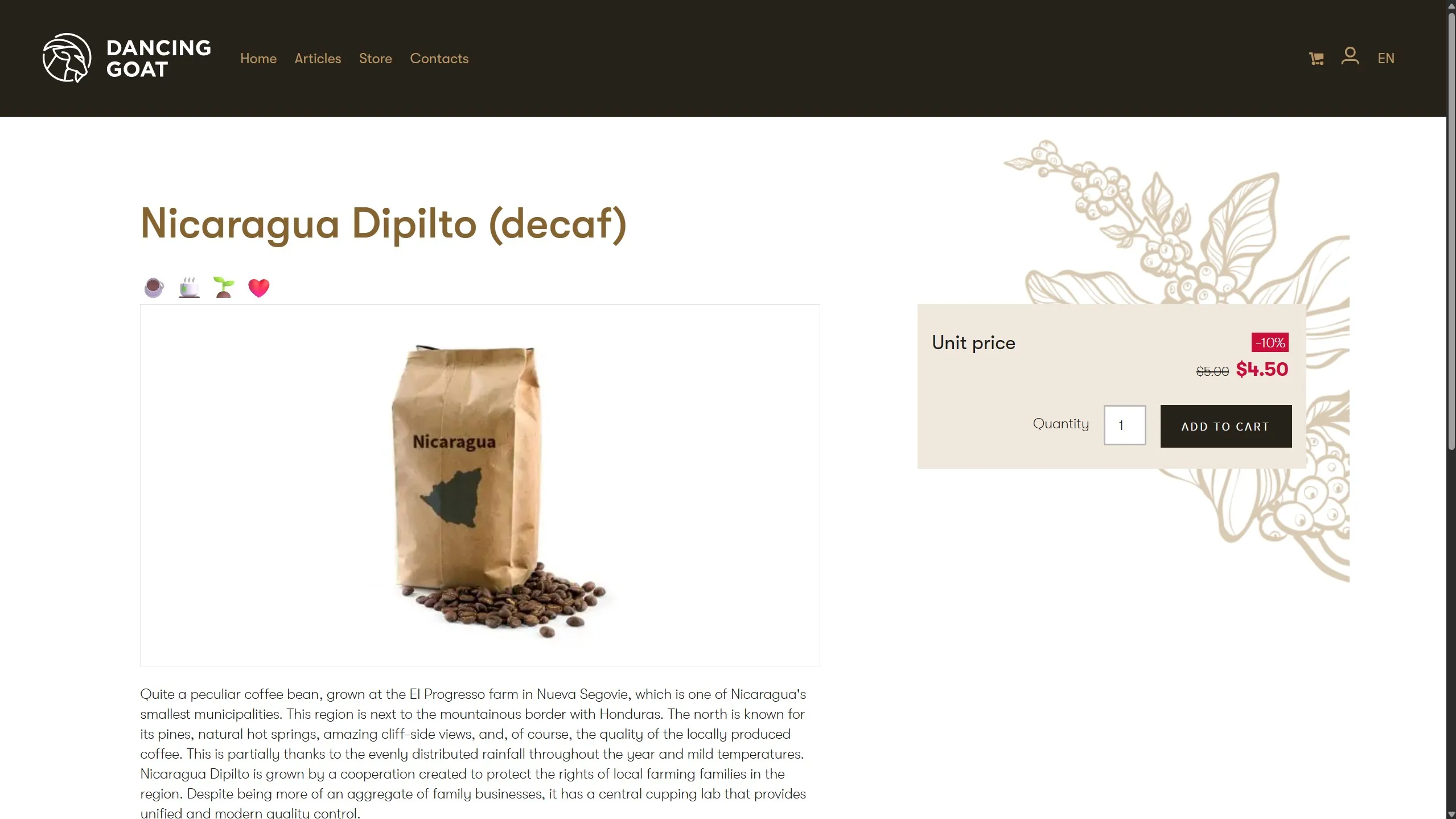
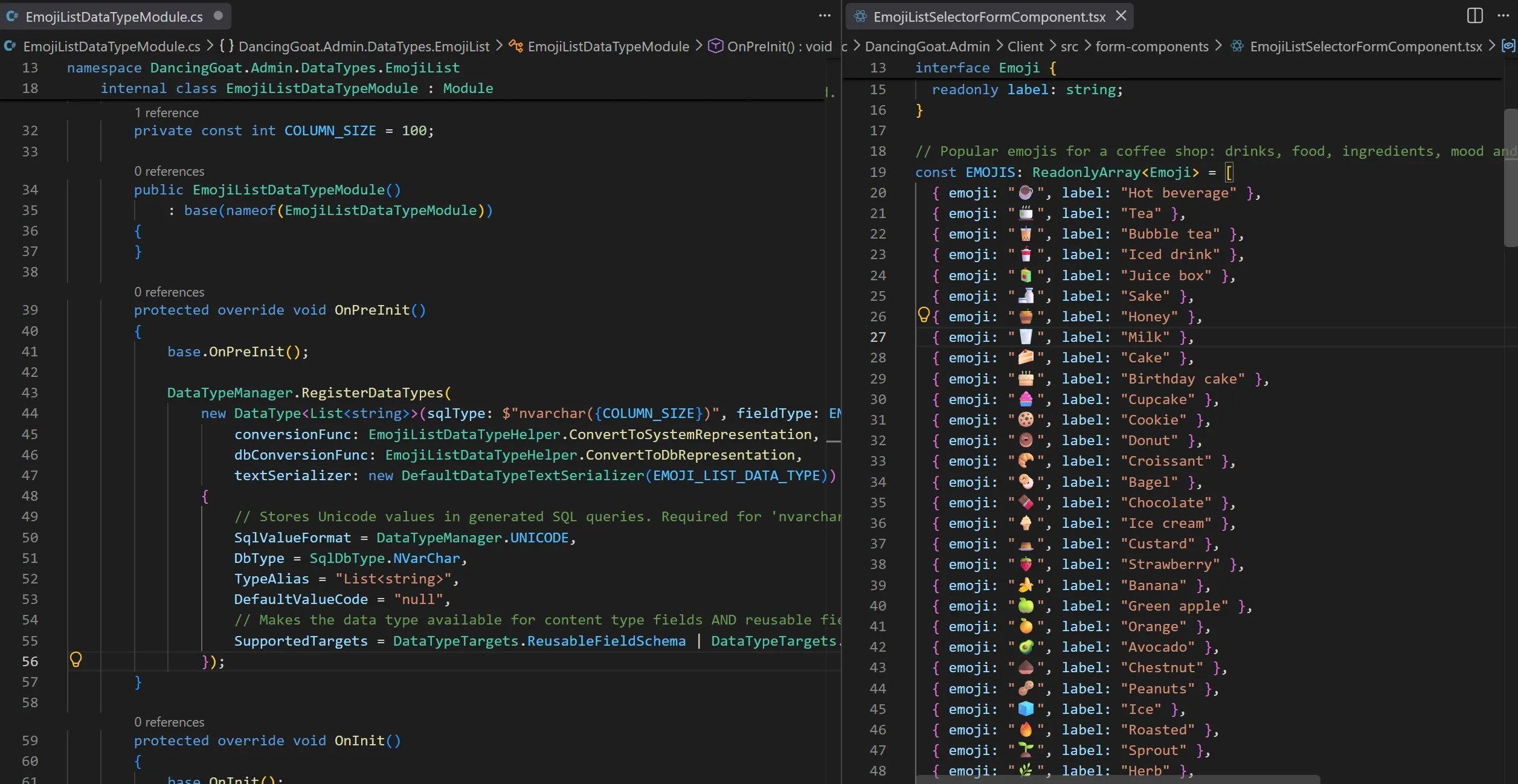
This data type has its own tailored editing experience, provided by a custom UI Form Component. In this case, it allows marketers to select up to five emojis from a list of 50 that the team selected for Dancing Goat’s coffee-centered products.

This editor UI could instead be a type-ahead search dropdown list, a multi-tab table, or any other creative and effective content entry component.

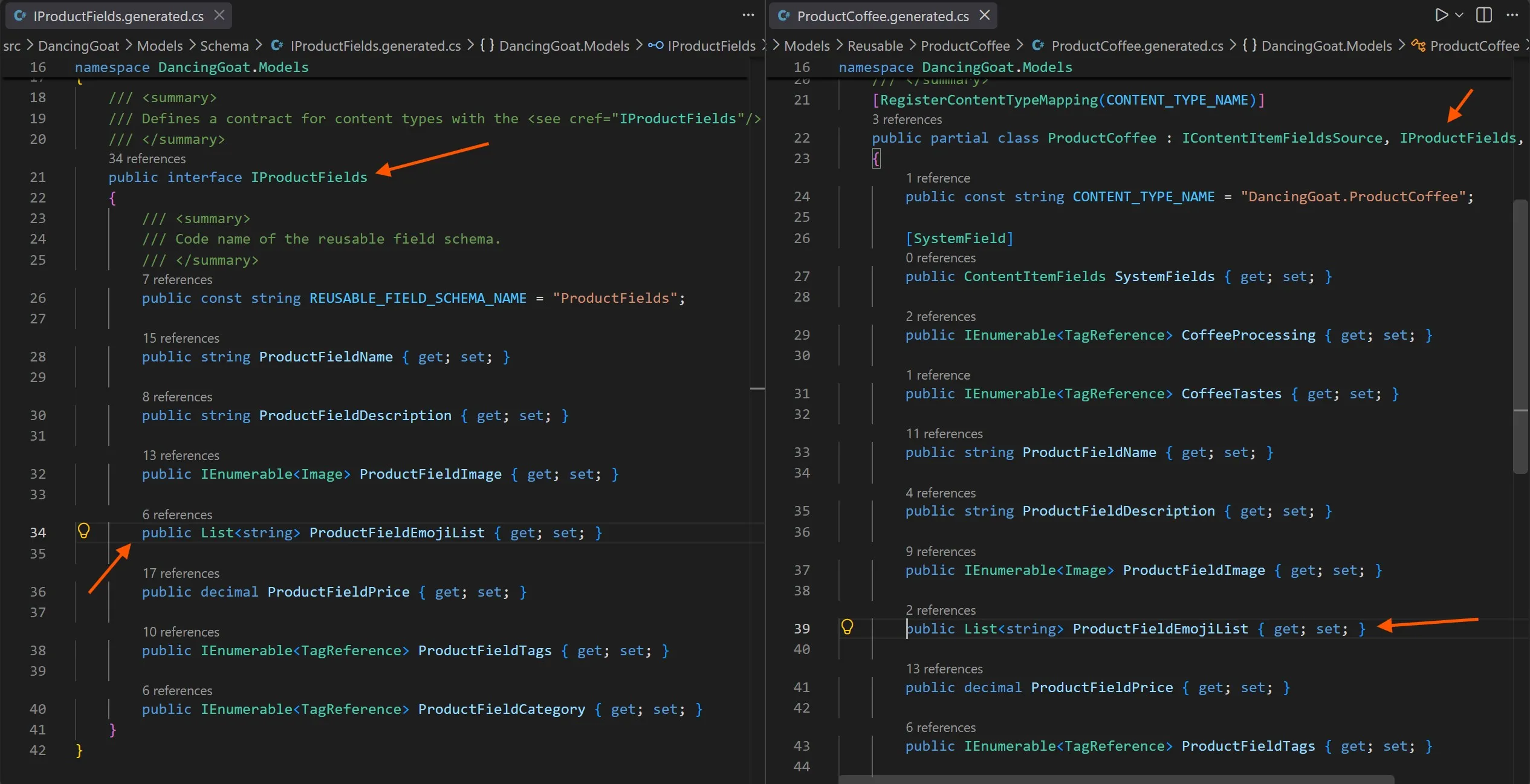
Although Xperience stores this emoji list internally as a serialized JSON structure, it automatically converts the value into a list of C# strings when retrieved from the database. The list is then ready for developers or AI agents to use in web or email presentations.

This improved support for custom data types is only as helpful as the documentation that guides developers and agents who use it.

To that end, we added a dedicated explanation of the custom data type API surface, including how to register custom data types and ensure that they produce useful C# types in generated content and object type code files.

When combined with the documentation on extending Xperience's administration UI with UI Form Components, AI agents have all the context to implement content models using this advanced feature.

In fact, Claude Sonnet 5 generated this Emoji List custom data type and component entirely from a single prompt, using the documentation MCP server.

Are you interested in learning more about how and why custom data types might be useful to your team's content model? Check out this article deep dive on the topic.

Forward looking defaults with agentic software development and Dancing Goat

As mentioned in July's Refresh, Dancing Goat has received some very intentional updates recently, with the goal of making it AI-agent-friendly so developers can quickly prototype ideas, validate feature capabilities, and help us with bug reproductions.

In this Refresh, we made several technical improvements:

  • All new projects created from the available project templates, including Dancing Goat, now use Central Package Management (CPM). This has become the standard package configuration approach in .NET projects.

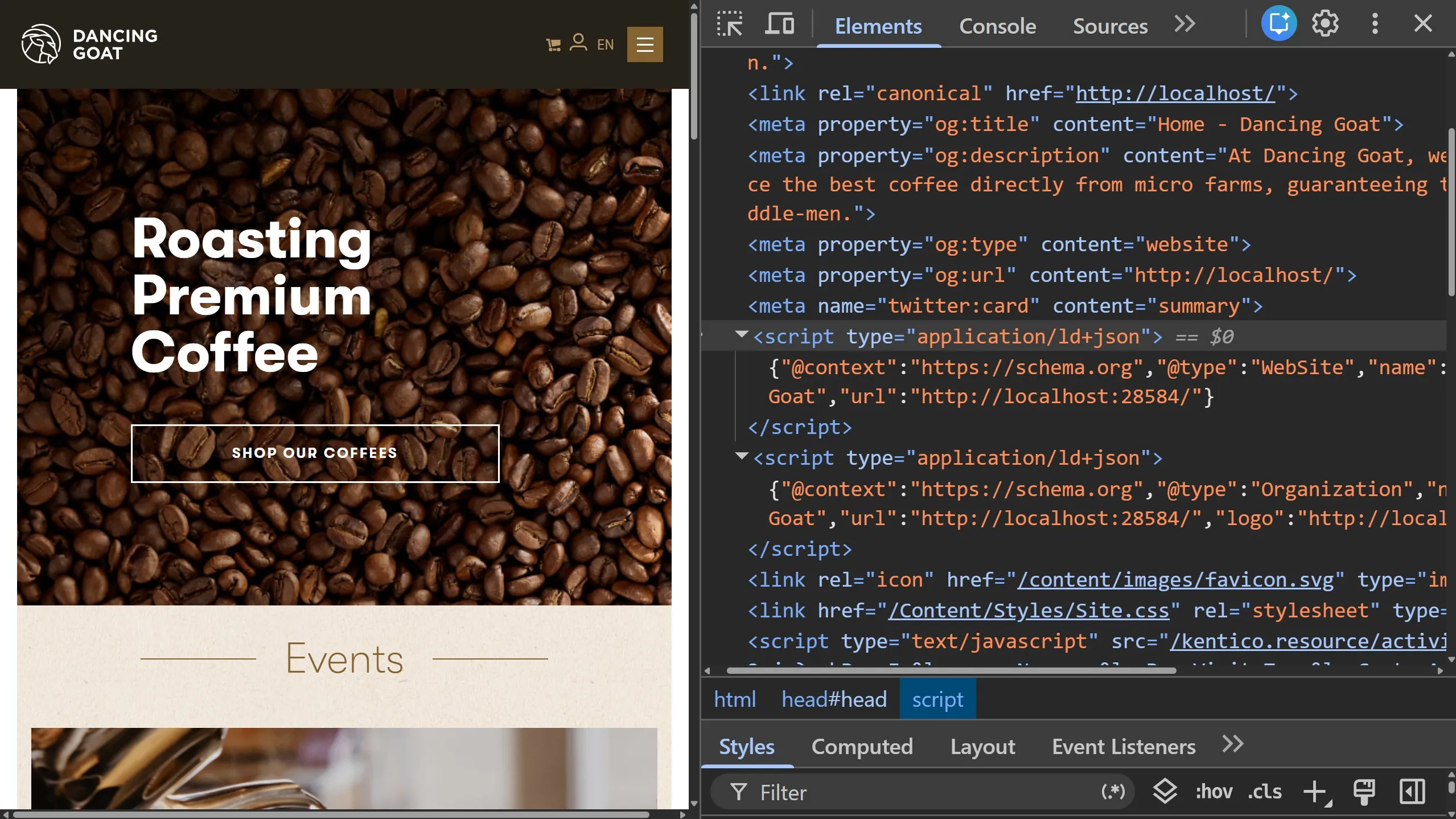
  • The Dancing Goat home page now uses the Page Builder, following a common pattern for Xperience by Kentico projects.

  • The old LESS style rules and unmaintained Grunt build pipeline were replaced by current Tailwind CSS and esbuild toolchains. This makes it significantly easier to extend Dancing Goat's design and JavaScript for your experiments.

  • The project comes pre-configured with the Management MCP server enabled, so AI agents can begin creating and editing content as soon as the project is started.

  • The project includes standard SEO features for pages, showing how to populate meta fields and JSON-LD objects from content items.

As we add new product features and publish more best practices in the Learn Portal, we'll continue updating Dancing Goat to reflect the evolving agentic software development landscape.

Expect more improvements to Dancing Goat in future Refreshes.

What's next?

As always, check out the documentation Changelog for the full Refresh feature and technical details.

We hope these new capabilities, features, and API improvements unlock solutions for you. Try them out and let us know 👋 what you think.

What's planned for the next Refresh?

These updates will accompany additional UX and developer-focused improvements.

Check back soon for the next Xperience by Kentico Refresh announcement.